
We use third party services that help us to improve and optimize our online experience. For the use of certain services we need your prior consent which can be revoked at any time. You can find further information on data protection in our privacy policy
Details
In order to optimise our website, we use services that collect and aggregate data and make it available to us as a statistical overview.
You are here: » Homepage
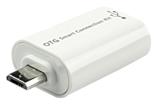
• Connect USB Type A accessories with Micro-B USB devices
• USB 2.0/OTG Type Micro-B to USB 2.0 Type A Female
• Compact ABS Housing
• Colour: White
• 10 year warranty
Please Note: Please check your device features a USB Micro-B OTG port.
For products using a Micro-A port please use part number 31945.
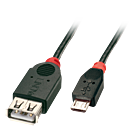
The Lindy USB Type Micro-B to A OTG cable enables a direct connection between two USB devices, wit one device being the host and the other one being the peripheral.
The cable is compatible with many devices featuring a USB Type Micro-B/A port such as keyboards, game controllers, smartphones, tablets. It can e.g. be used to connect a game controller directly to a tablet.
Lindy USB Type Micro-B to A OTG Cables are available in the following lengths: 0.5m and 1m.
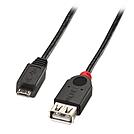
This high quality cable complies with USB 1.1, USB 2.0 and USB On-The-Go (OTG) specifications. Supporting data transfer speeds up to 480Mbit/sec, it is fully compatible with all USB and USB OTG devices.
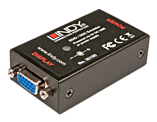
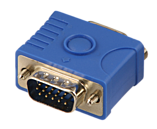
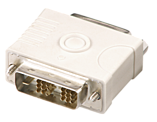
Please Note: The cloning feature requires this product to be used in conjunction with the LINDY EDID/DDC Emulator
These emulators are designed for systems that require EDID/DDC signals to be continuously provided without interruption. Some computer systems, KVM switches and digital video signage systems may interrupt the data, or may not be able to pass this information directly back to the video card's display port. This simple solution will provide preset/default EDID/DDC information, or when used with the Lindy HDMI / VGA / DVI EDID Recorder can provide cloned EDID/DDC information to your graphics card.
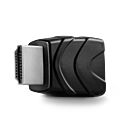
These emulators are designed for systems that require EDID/DDC signals to be continuously provided without interruption. Some computer systems, KVM switches and digital video signage systems may interrupt the data, or may not be able to pass this information directly back to the video card's display port. This simple solution will provide preset/default EDID/DDC information, or when used with the LINDY EDID/DDC Emulator can provide cloned EDID/DDC information to your graphics card.
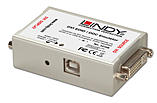
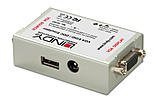
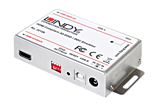
This emulator is designed for systems that require EDID/DDC signals to be continuously provided without interruption. Some computer systems, KVM switches and digital video signage systems may interrupt the data, or may not be able to pass this information directly back to the video card. This simple solution will clone the connected monitor's EDID/DDC and emulate them without interruption.
Saved default standard resolutions for use when cloning the monitor data is not possible.
Supported Resolutions: 480i, 480p, 576p, 720p, 1360x768, 1366x768, 1080i, 1080p & 4K
Supported Audio Channels: 2 & 8 Channel
Supported Audio Formats: LPCM, AC-3, DTS, SACD, DTS-HD & WMA Pro
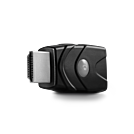
The LINDY HDMI 2.0 EDID Emulator Adapter is designed for systems that require EDID signals to be continuously provided without interruption and helps overcome EDID related problems which can occur when using AV/KVM Extenders, Switches and Splitters. It can also be used in place of a monitor to keep the graphics card of a PC or Server awake for remote access via IP. With support for resolutions up to Ultra HD 4K 60Hz (via cloning) and with the ability to pass –through HDCP content, including that protected by the latest HDCP 2.2 encryption the Emulator is suitable for use with the very latest PC and AV applications.
Some computer systems, KVM switches and digital video signage systems may interrupt the flow of EDID data, or may not be able to pass this information directly back to the video card's output port. This adapter can be used to quickly and easily clone the EDID data from a HDMI display so that the graphics card has direct access to the correct data from the display, the cloning process takes less than 10 seconds!
It is also possible to use the Emulator without cloning a display as it comes complete with preset EDID data for the most commonly used resolution/timing combinations, please see the Technical Information section for a full breakdown.
Package Contents:
HDMI 2.0 EDID Emulator Adapter
LINDY Manual
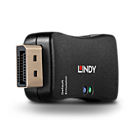
The Lindy DisplayPort 1.2 EDID Emulator Adapter is designed for systems that require EDID signals to be continuously provided without interruption and helps overcome EDID related problems which can occur when using AV/KVM extenders, switches and splitters. The emulator also features LED indicators to ensure a quick simple installation process and with support for resolutions up to 3840x2160@60Hz (via cloning), HDCP 1.3 and DPCP pass-through, this emulator is perfect for use with Ultra HD 4K monitors, displays and source equipment.
With a small-scale, minimalistic design, this is a handy connectivity solution for both AV and IT installers to ensure legacy and new DP equipment work seamlessly with no compromise on performance.
Some computer systems, KVM switches and digital video signage systems may interrupt the flow of EDID data, or may not be able to pass this information directly back to the video card's output port. This adapter can be used to quickly and easily clone the EDID data from a DP display so that the graphics card has direct access to the correct data from the display, the cloning process takes less than 10 seconds.
It is also possible to use the Emulator without cloning a display as it comes complete with preset EDID data for the most commonly used resolution/timing combinations, please see the Technical Information section for a full breakdown.
Please note: This EDID adapter is not headless, and as such will only function when an output device is connected.
 |
 |