
We use third party services that help us to improve and optimize our online experience. For the use of certain services we need your prior consent which can be revoked at any time. You can find further information on data protection in our privacy policy
Details
In order to optimise our website, we use services that collect and aggregate data and make it available to us as a statistical overview.
You are here: » Homepage
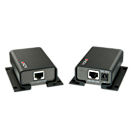
The Lindy USB RS232 Cat.5 Extender is a low cost hardware solution that combines a USB to Serial RS232 Converter with a Cat.5e/6 extender. It provides full-duplex remote access and control of RS232 protocol devices from a USB equipped computer.
The Extender consists of a transmitter and Receiver unit connected via Cat.5e or higher network cable, providing you with flexibility in your installation.
Ideal for digital signage, industrial monitoring and control, POS or security applications. It allows users to place RS232 devices in any location you want and control them remotely from up to 2000 meters (6560 feet) away while you can also utilise existing wallports and cabling to connect the device without the need for long length RS232 cables.
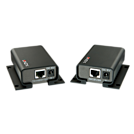
The LINDY RS-232 Serial Extender over CAT5 is a low cost hardware solution. It provides full-duplex remote access and control of RS-232 protocol devices from your serial equipped PC or Mac.
The Extender consists of a local Transmitter and remote Receiver unit connected via CAT5e or higher network cable, providing you with a tremendous amount of flexibility in your installation. Ideal for digital signage, industrial monitoring and control, POS or security applications. It allows you to place RS-232 devices in any location you want and control them remotely from up to 2000 meters (6560 feet) away while you can also utilise existing wallports and cabling to connect the device without the need for long length RS-232 cables.
Package Contents:
Extender with Transmitter and Receiver
Multi Country PSU 5V DC ~1A with DC connector 5.5mm/2.1mm
8 Mounting screws
Manual
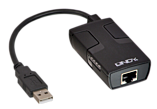
The Lindy USB RS232 Cat.5 Extender is a low cost hardware solution that combines a USB to Serial RS232 Converter with a Cat.5e/6 extender. It provides full-duplex remote access and control of RS232 protocol devices from your USB equipped computer.
The Extender consists of a transmitter and receiver unit connected via Cat.5e or higher network cable, providing flexibility in an installation.
Ideal for digital signage, industrial monitoring and control, POS or security applications. It allows you to place RS232 devices in any location you want and control them remotely from up to 70 meters away while you can also utilise existing wallports and cabling to connect the device without the need for long length RS232 cables.
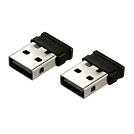
Please note: This Expansion Kit requires the LINDY 2 Port Wireless KM Switch
This 2 Port USB Wireless KM Switch Expansion Kit allows you to transform our 2 Port USB Wireless KM Switch into a four port version. It is an affordable wireless solution for controlling four devices with a single keyboard & mouse.
Effortlessly access files and programs across desktops, laptops, netbooks, ultrabooks, tablets, smartphones, set-top boxes, games consoles or smart TVs. Switch control by simply moving your cursor from screen to screen or alternatively connect your devices to a single display with multiple display inputs, and switch between devices via the on screen keyboard and change the displays input channel.
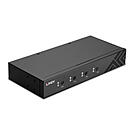
A KM switch allows an operator to conveniently control and manage multiple devices, such as PCs and servers, from a single keyboard and mouse console.
The Lindy 4 Port USB 2.0 & Audio KM Switch is a desktop solution for providing control over four PCs with independent displays from a single keyboard & mouse. Switching between computers can be done by pushing buttons on the front panel of the unit and via keyboard hotkeys; with Mouse Roaming hotkey functions, the user can seamlessly switch between the PCs just by sweeping the mouse cursor across screen borders in different layouts.
The audio output port allow users to connect headphones or speakers to add immersive 2CH audio, while additional USB peripherals can be integrated with the 2 ports USB 2.0 hub. Both audio and USB hub can be switched together with the computers or kept binded to the selected port.
The KM switch can be managed with hotkey switching under every OS without any restrictions. Installation is quick and simple with no software required (BIOS is not supported). The KM switch can be used with standard wired keyboard & mouse.
Simple to set-up and compatible with a wide range of Lindy USB Extenders, this solution is ideal for small education and business environments, control rooms or for helping make the most of IT equipment in the home.
Please note: wireless devices may not always be recognized.
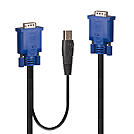
The Lindy Combined KVM & USB Cable is ideal for enabling you to conveniently operate your VGA and USB-equipped server. This space-saving design dramatically reduces cable-clutter in your server rack, and ensures a tidy, professional server room. The VGA signal supports high-definition video resolutions up to 1920x1200@60Hz.
The Lindy Combined KVM & USB Cable is ideal for enabling you to conveniently operate your VGA and USB-equipped server. This space-saving design dramatically reduces cable-clutter in your server rack, and ensures a tidy, professional server room. The VGA signal supports high-definition video resolutions up to 1920x1200@60Hz.
The Lindy Combined KVM & USB Cable is ideal for enabling you to conveniently operate your VGA and USB-equipped server. This space-saving design dramatically reduces cable-clutter in your server rack, and ensures a tidy, professional server room. The VGA signal supports high-definition video resolutions up to 1920x1200@60Hz.
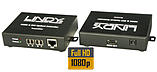
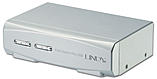
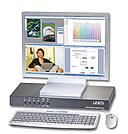
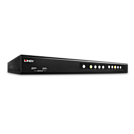
A KVM switch allows an operator to conveniently control and manage multiple devices, such as PCs and servers, from a single keyboard, mouse and display console.
The Lindy DVI-I Single Link, USB 2.0 & Audio Quad View KVM Switch Pro simultaneously displays video signals from four DVI sources on a single screen with keyboard & mouse control over connected computers. Supports single link resolutions up to 1920x1200, in addition a second display can be connected (Full Screen Mode only), so that users can directly control or work on one of the PCs without having to disrupt the monitoring of the other connected computers.
The Quad View KVM Switch Pro provides a number of different viewing modes, allowing users to view the connected computers/video sources in a layout which best suits their requirements. In Quadview mode, the screen is split into four equal fields. Each field displays the entire screen content of its source video or computer. Keyboard & Mouse operations are switched by selecting the corresponding computer‘s quad.
In Picture in Picture (PiP) mode, up to three video sources are displayed as thumbnails on top of a full-screen image from the primary source. This allows them to be monitored alongside a main feed. The active channel, position and size of the thumbnails are all customisable.
In Picture and Picture (PaP) mode, up to three video sources are displayed as thumbnails down the right side of the display next to primary source. This allows them to be monitored alongside a main feed. The active channel, position and size of the thumbnails are all customisable.
In Full Screen mode, one of the four video sources is shown full screen, keyboard & mouse operation automatically switches to the corresponding computer when channels are switched.
The audio output port on the main unit also allow users to connect headphones or speakers to add immersive 2CH audio, while additional USB peripherals can be integrated with the 2 ports USB 2.0 hub in the front panel. Both audio and USB hub can be switched independently of the computers.
Daisy Chain RJ-45 port can be used to connect up to 8 switches in order to manage to up to 32 computers, perfect for large-scale control systems in transport hubs or surveillance centres.
The Quad View KVM Switch Pro features multiple switching options including push buttons on the unit, configurable hotkeys, OSD menu or RS232 provide reliable and flexible control for the user, great for both professional and first time users.
Please Note: connection cables are not included.
 |
 |