
We use third party services that help us to improve and optimize our online experience. For the use of certain services we need your prior consent which can be revoked at any time. You can find further information on data protection in our privacy policy
Details
In order to optimise our website, we use services that collect and aggregate data and make it available to us as a statistical overview.
You are here: » Homepage
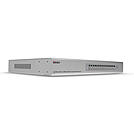
A KVM switch allows an operator to conveniently control and manage multiple devices, such as PCs and servers, from a single keyboard, mouse and display console.
The Lindy Combo KVM Switch is a hardware solution that allows direct control of multiple computers using a single keyboard, mouse and VGA monitor. It's ideal for system administrators who want to control multiple computers or servers from a single, centralised location.
The switch occupies only a single 1U space in a 19_ rack and supports screen resolutions of up to 12048x1536@60Hz, great for ensuring optimum clarity if used in digital media or graphic design scenarios. It provides 3 simple switching modes, via keyboard hotkeys, front panel buttons and On-Screen Display; setup and management options can be access only via the OSD.
A local console can be connected to the 2 USB and VGA ports on the rear panel while Daisy Chain VGA ports can be used to connect up to 8 Lindy Combo series switches in order to manage to up to 128 multi platform computers with security features and password access, perfect for large-scale control systems in transport hubs or surveillance centres. All the functions are accessible from the administrator through a simple to use On-Screen Display while LEDs on the front panel show the online and selected PC to ensure continuous control & monitoring.
PCs & connected KVM switches can be remove easily with hot plug support, allowing for maintenance to take place without the need for powering down all connected devices, essential within always on environments such as data centres or traffic management setups.
Computers or servers can be connected to the 16 host ports on the rear panel only via dedicated VGA & USB KVM cables (No. 32185, not included).
Please Note: use only the dedicated Lindy KVM cables listed above, do not use any other KVM cable or units may be damaged.
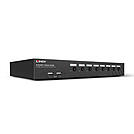
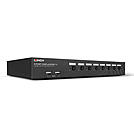
A KVM switch allows an operator to conveniently control and manage multiple devices, such as PCs and servers, from a single keyboard, mouse and display console.
This advanced KVM Switch has been designed for use with PCs and Macs. It features DisplayPort video ports and a two port USB 2.0 hub for connecting and sharing peripherals. With audio support, you can also connect speakers or headsets.
The switch occupies only a single 1U space in a 19_ rack and supports screen resolutions of up to 4K Ultra HD 60Hz, great for graphical content in gaming setups, video editing or controlling multiple workstations. It provides 2 simple switching modes, via keyboard hotkeys and front panel buttons.
A local console can be connected to the 2 USB and DP ports on the rear panel while the built-in 2 port USB 2.0 hub saves money on requiring additional devices by sharing peripherals between the connected computers. The unique switching arrangement allows the USB hub to be switched independently of the PCs for uninterrupted printing, scanning or external drive access. Options can be accessed only via keyboard hotkeys.
LED indicators show the status of the selected channel.
Please Note: connection cables are not included. DisplayPort, USB A to B, and 3.5mm audio cables are required for each connected computer. The maximum supported distance for USB, using standard cables, is 5m. For distances over 5m, use a Lindy USB Active Extension Cable. MST hubs are not supported.
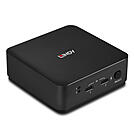
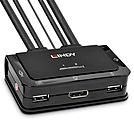
The Lindy 2 Port DisplayPort 1.2, USB 2.0 & Audio KVM Switch is a compact solution for providing access and control over two DP equipped PCs from a single keyboard, mouse and monitor. With integrated cables, this switch can be easily connected directly to the system, with no need for purchasing additional cables and saving time on the installation.
Support for resolutions up to 4K Ultra HD 60Hz ensures the optimum image quality, perfect for high graphical content in gaming setups, video editing or dual system control workstations. The audio output port on the main unit also allow users to connect headphones or speaker to add immersive 2CH audio and a microphone, while additional USB peripherals can be integrated with a USB hub.
The KVM switch features multiple switching options including a push button control (with 1.5m cable), hotkey and software switching to provide simple, reliable control for the user, great for both professional and first time users.
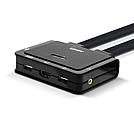
A KVM switch allows an operator to conveniently control and manage multiple devices, such as PCs and servers, from a single keyboard, mouse and display console.
The Lindy 2 Port HDMI® 18G, USB 2.0 & Audio KVM Switch is a compact solution for providing access and control over two HDMI equipped PCs from a single keyboard, mouse and monitor set. With integrated cables, this switch can be easily connected directly to the system, with no need to purchase additional cables, saving time and money on installation.
Support for resolutions up to 4096x2160@60Hz 4:4:4 8bit ensures the optimum image quality, perfect for high graphical content in gaming setups, video editing or dual system control workstations. The audio output port also allow users to connect headphones or speaker to add immersive 2CH audio and a microphone, while additional USB peripherals can be integrated with a USB hub.
The KVM switch features multiple switching options including push buttons on the unit alongside hotkey and software switching to provide simple, reliable control for the user, great for both professional and first time users.
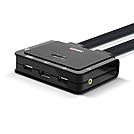
The Lindy 2 Port DisplayPort 1.2, USB Type C, USB 2.0 & Audio KVM Switch is a compact solution for providing access and control over a DP equipped PC and Type C laptop or Desktop OS tablets from a single keyboard, mouse and monitor. With integrated cables, this switch can be easily connected directly to the system, with no need to purchase additional cables and saving time during installation.
Support for resolutions up to 3840x2160@60Hz ensures the optimum image quality, perfect for demanding graphical content in gaming setups, video editing or dual system control workstations. The integrated USB Type C cable allows for control of a variety of laptops and tablets alongside a PC, great for maximising workspaces in universities or residential offices. The audio output port on the main unit also allows users to connect headphones or speakers to add immersive 2-channel audio and a microphone, while additional USB peripherals can be integrated with a USB hub.
The KVM switch features multiple switching options including a push button control (with 1.5m cable), hotkey and software switching to provide simple, reliable control for the user, great for both professional and first-time users.
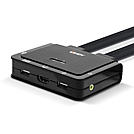
The Lindy 2 Port HDMI® 18G, USB Type C, USB 2.0 & Audio KVM Switch is a compact solution for providing access and control over a HDMI® equipped PC and Type C laptop or Desktop OS tablets from a single keyboard, mouse and monitor. With integrated cables, this switch can be easily connected directly to the system, with no need to purchase additional cables and to save time during installation.
Support for resolutions up to 3840x2160@60Hz ensures high image quality, perfect for demanding graphical content in gaming setups, video editing or dual system control workstations. The integrated USB Type C cable allows for control of a variety of laptops and tablets alongside a PC, great for maximising workspaces in universities or residential offices. The audio output port on the main unit also allows users to connect headphones or speakers to add immersive 2-channel audio and a microphone, while additional USB peripherals can be integrated with a USB hub.
The KVM switch features multiple switching options including a push button control (with 1.5m cable), hotkey and software switching to provide simple, reliable control for the user, great for both professional and first-time users.
 |