
We use third party services that help us to improve and optimize our online experience. For the use of certain services we need your prior consent which can be revoked at any time. You can find further information on data protection in our privacy policy
Details
In order to optimise our website, we use services that collect and aggregate data and make it available to us as a statistical overview.
You are here: » Homepage
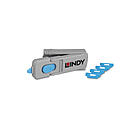
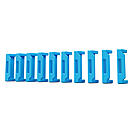
The Lindy HDMI Port Blockers are useful little devices that can be used to physically prevent access to HDMI ports. With the HDMI Port Blocker Key, the user can quickly block any open device ports and easily prevent users from connecting cables, devices or inserting foreign objects without permission.
The semi-permanent HDMI Port Blocker is made up of a moulded plastic blocking cap that plugs securely into the HDMI port with a special insertion key. The blocker latches into the port just as a normal HDMI cable would and remains in place until removed using the insertion key.
Designed to help protect against unauthorised access to IT or AV equipment, as well as preventing unintentional or malicious damage to ports. It can also act as a visual cue, showing inactive or disconnected ports, ideal for use in schools, office or other public sector environments.
To use, simply attach a blocker to the key and insert it into the HDMI port. Release the sliding mechanism on the key to leave the blocker in place. To remove, simply insert the key back into the blocker and pull away.
Security Note: The Port Blockers will only act as a basic physical & visual deterrent to tampering. It will not prevent a determined attacker, intent on gaining physical access to a HDMI port.
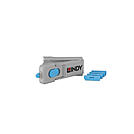
The Lindy DP Port Blockers are useful little devices that can be used to physically prevent access to DP ports. With the DP Port Blocker Key, the user can quickly block any open device ports and easily prevent users from connecting cables, devices or inserting foreign objects without permission.
The semi-permanent DP Port Blocker is made up of a moulded plastic blocking cap that plugs securely into the DP port with a special insertion key. The blocker latches into the port just as a normal DP cable would and remains in place until removed using the insertion key.
Designed to help protect against unauthorised access to IT or AV equipment, as well as preventing unintentional or malicious damage to ports. It can also act as a visual cue, showing inactive or disconnected ports, ideal for use in schools, office or other public sector environments.
The key not only acts as the insertion and removal tool for the DP Port Blockers but also serves as a compact storage solution, ideal for IT administrators or facility managers managing multiple devices. This all-in-one design adds an extra layer of convenience to an already practical and efficient physical security tool. Up to four DP port blocks can be conveniently stored inside the specially designed key, making it easy for users to carry multiple blockers and use them as needed.
To use, simply attach a blocker to the key and insert it into the DP port. Release the sliding mechanism on the key to leave the blocker in place. To remove, simply insert the key back into the blocker and pull away.*
Security Note: The Port Blockers will only act as a basic physical & visual deterrent to tampering. It will not prevent a determined attacker, intent on gaining physical access to a DP port.
*Push the sliding button on the key all the way back while holding it down, then pull the key straight out.
When the button is pushed all the way back, the wings at the top of the key open fully, providing maximum leverage for removing the lock.
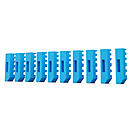
The Lindy DP Port Blockers are useful little devices that can be used to physically prevent access to DP ports. With the DP Port Blocker Key, the user can quickly block any open device ports and easily prevent users from connecting cables, devices or inserting foreign objects without permission.
The semi-permanent DP Port Blocker is made up of a moulded plastic blocking cap that plugs securely into the DP port with a special insertion key. The blocker latches into the port just as a normal DP cable would and remains in place until removed using the insertion key.
Designed to help protect against unauthorised access to IT or AV equipment, as well as preventing unintentional or malicious damage to ports. It can also act as a visual cue, showing inactive or disconnected ports, ideal for use in schools, office or other public sector environments.
To use, simply attach a blocker to the key and insert it into the DP port. Release the sliding mechanism on the key to leave the blocker in place. To remove, simply insert the key back into the blocker and pull away.
Security Note: The Port Blockers will only act as a basic physical & visual deterrent to tampering. It will not prevent a determined attacker, intent on gaining physical access to a DP port.
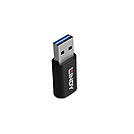
With the Lindy USB 2.0 Type A to C Data Blocker you can charge your devices securely while blocking data transfer. It's the perfect accessory for business travelers, students, or anyone who uses public charging stations frequently.
This adapter is easy to use and compatible with a variety of devices, making it an essential tool for anyone who wants to keep their personal and professional data secure.
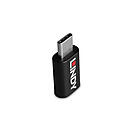
With the Lindy USB 3.2 Type C to C Data Blocker you can charge your devices securely while blocking data transfer. It's the perfect accessory for business travelers, students, or anyone who uses public charging stations frequently.
This adapter is easy to use and compatible with a variety of devices, making it an essential tool for anyone who wants to keep their personal and professional data secure.
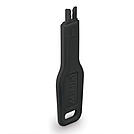
With the Lindy RJ-45 Port Blocker Key, the user can quickly block open network ports and easily prevent users from connecting cables, devices or inserting foreign objects without permission. This helps protect against unauthorised access to a network or system, as well as preventing unintentional or malicious damage to ports. It can also act as a visual cue, showing inactive or disconnected ports, ideal for use in schools, office or other public sector environments.
The semi-permanent RJ-45 Port Blocker is made up of a moulded plastic blocking cap that plugs securely into the RJ-45 port with a special insertion key. The blocker latches into the RJ-45 just as a network cable would and remains in place until removed using the insertion key.
To use, simply attach a blocker to the key and plug it into the port. Hold the blocker in place and pull away the Key. To remove simply insert the Key back into the blocker until it clicks and pull it away.
Security Note: The Port Blockers will only act as a basic physical & visual deterrent to tampering. It will not prevent a determined attacker, intent on gaining physical access to a RJ-45 port.
Please Note: These Port Blockers are not compatible with the previous generation
Please note: this key is only compatible with the corresponding colour of port blocker.
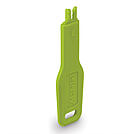
With the Lindy RJ-45 Port Blocker Key, the user can quickly block open network ports and easily prevent users from connecting cables, devices or inserting foreign objects without permission.
This helps protect against unauthorised access to a network or system, as well as preventing unintentional or malicious damage to ports. It can also act as a visual cue, showing inactive or disconnected ports, ideal for use in schools, office or other public sector environments.
The semi-permanent RJ-45 Port Blocker is made up of a moulded plastic blocking cap that plugs securely into the RJ-45 port with a special insertion key. The blocker latches into the RJ-45 just as a network cable would and remains in place until removed using the insertion key.
To use, simply attach a blocker to the key and plug it into the port. Hold the blocker in place and pull away the Key. To remove simply insert the Key back into the blocker until it clicks and pull it away.
Security Note : The Port Blockers will only act as a basic physical & visual deterrent to tampering. It will not prevent a determined attacker, intent on gaining physical access to a RJ-45 port.
Please Note: These Port Blockers are not compatible with the previous generation
Please note: this key is only compatible with the corresponding colour of port blocker.
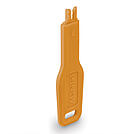
With the Lindy RJ-45 Port Blocker Key, the user can quickly block open network ports and easily prevent users from connecting cables, devices or inserting foreign objects without permission. This helps protect against unauthorised access to a network or system, as well as preventing unintentional or malicious damage to ports. It can also act as a visual cue, showing inactive or disconnected ports, ideal for use in schools, office or other public sector environments.
The semi-permanent RJ-45 Port Blocker is made up of a moulded plastic blocking cap that plugs securely into the RJ-45 port with a special insertion key. The blocker latches into the RJ-45 just as a network cable would and remains in place until removed using the insertion key.
To use, simply attach a blocker to the key and plug it into the port. Hold the blocker in place and pull away the Key. To remove simply insert the Key back into the blocker until it _clicks_ and pull it away.
Security Note : The Port Blockers will only act as a basic physical & visual deterrent to tampering. It will not prevent a determined attacker, intent on gaining physical access to a RJ-45 port.
Please Note: These Port Blockers are not compatible with the previous generation
Please note: this key is only compatible with the corresponding colour of port blocker.
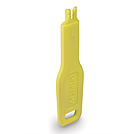
With the Lindy RJ-45 Port Blocker Key, the user can quickly block open network ports and easily prevent users from connecting cables, devices or inserting foreign objects without permission. This helps protect against unauthorised access to a network or system, as well as preventing unintentional or malicious damage to ports. It can also act as a visual cue, showing inactive or disconnected ports, ideal for use in schools, office or other public sector environments.
The semi-permanent RJ-45 Port Blocker is made up of a moulded plastic blocking cap that plugs securely into the RJ-45 port with a special insertion key. The blocker latches into the RJ-45 just as a network cable would and remains in place until removed using the insertion key.
To use, simply attach a blocker to the key and plug it into the port. Hold the blocker in place and pull away the Key. To remove simply insert the Key back into the blocker until it clicks and pull it away.
Security Note : The Port Blockers will only act as a basic physical & visual deterrent to tampering. It will not prevent a determined attacker, intent on gaining physical access to a RJ-45 port.
Please Note: These Port Blockers are not compatible with the previous generation
Please note: this key is only compatible with the corresponding colour of port blocker.

With the Lindy USB 2.0 Type A to A Data Blocker you can charge your devices securely while blocking data transfer. It's the perfect accessory for business travelers, students, or anyone who uses public charging stations frequently.
This adapter is easy to use and compatible with a variety of devices, making it an essential tool for anyone who wants to keep their personal and professional data secure.
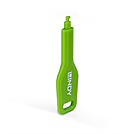
With the Lindy SFP Port Blocker Key, the user can quickly block open SFP ports and easily prevent users from connecting cables, devices or inserting foreign objects without permission. This helps protect against unauthorised access to a network or system, as well as preventing unintentional or malicious damage to ports. It can also act as a visual cue, showing inactive or disconnected ports, ideal for use in schools, office or other public sector environments.
The semi-permanent SFP Port Blocker is made up of a molded plastic blocking cap that plugs securely into the SFP port with a special insertion key. The blocker latches into the SFP just as a network cable would and remains in place until removed using the insertion key.
To use, simply attach a blocker to the key and plug it into the port. Hold the blocker in place and pull away the Key. To remove simply insert the Key back into the blocker until it clicks and pull it away.
Security Note : The Port Blockers will only act as a basic physical & visual deterrent to tampering. It will not prevent a determined attacker, intent on gaining physical access to a SFP port.
 |