


We use third party services that help us to improve and optimize our online experience. For the use of certain services we need your prior consent which can be revoked at any time. You can find further information on data protection in our privacy policy
Details
In order to optimise our website, we use services that collect and aggregate data and make it available to us as a statistical overview.
You are here: » Homepage
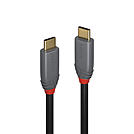
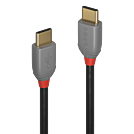
 |
USB-C is the universal port for notebooks, tablets, smartphones, monitors and docking stations. Since 2026, it has also been mandatory in the EU as the charging port for new notebooks. The connector is reversible and identical everywhere, but the performance of a USB-C cable is not: data rate, video transmission and charging power depend on the individual cable.
USB 2.0 cables with 480 Mbit/s are sufficient for charging and simple peripherals, but do not transmit a video signal.
USB 3.2 cables transfer 5 to 20 Gbit/s and, depending on the version, support DisplayPort Alt Mode for monitors up to 4K or 8K.
USB4 cables reach up to 40 Gbit/s, transmit 8K or two 4K signals and are backward compatible with USB 3.2, USB 2.0 and Thunderbolt 3.
As the data rate increases, the possible length of passive cables decreases: USB4 cables with 40 Gbit/s are typically available up to around 2m. For longer distances there are active USB-C cables, for example with 10 Gbit/s, 8K video and 100W over 5m.
Via USB Power Delivery, USB-C cables charge notebooks and monitors. Without an e-marker, a maximum of 3A and therefore 60W is possible. For 100W (20V, 5A), a cable with an e-marker chip is required, which reports the cable’s current rating to the charger. 240W according to USB PD 3.1 (48V, 5A, Extended Power Range) requires a 240W cable designed for this purpose.
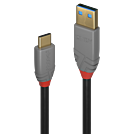
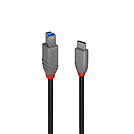
USB-C adapters connect modern devices to existing equipment, for example USB-C to HDMI, DisplayPort, USB-A or Ethernet. For video output, the notebook’s USB-C port must support DisplayPort Alt Mode.
No. A pure charging cable transmits neither high data rates nor video.
If the power supply delivers more than 60W, yes. Otherwise the cable limits the charging power.
Yes, USB4 cables are compatible with Thunderbolt 3.
USB-C cables and adapters from Lindy: Lindy offers USB-C cables from USB 2.0 to USB4, including the Anthra Line USB4 cables with 40 Gbit/s and 240W, active cables for longer lengths and adapters for video and network. System integrators and IT departments can get advice on projects and volume pricing from our technical sales team. You will find matching accessories for USB-C workstations here:
