


We use third party services that help us to improve and optimize our online experience. For the use of certain services we need your prior consent which can be revoked at any time. You can find further information on data protection in our privacy policy
Details
In order to optimise our website, we use services that collect and aggregate data and make it available to us as a statistical overview.
You are here: » Homepage
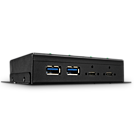
The Lindy 4 Port USB 3.2 Metal Hub has been designed to provide reliable performance in demanding operating environments at USB 3.2 Gen 2 speeds up to 10 Gbps. This industrial-grade hub features a rugged, all-metal chassis providing excellent EMC protection. With robust metal housing and integrated mounting brackets this hub is the ideal solution for industrial environments. All Type C sockets of the hub allow the connection of single or dual screw USB 3.2 cables which are compliant with USB-IF Type C locking specification.
Each port features individual short circuit protection - and all 4 USB ports support the Battery Charging specification 1.2 with a total charging power of 17.5 Watt for all 4 ports. The hub can be powered by the included power supply or the terminal block, ensuring flexible, secure and uninterrupted electricity supplies.
Please note: This product contains one USB 3.0 hub, which needs to be considered if the product is deployed in a larger installation in connection with other devices.
Information about USB 3.0, 3.1 & 3.2
USB 3.0, USB 3.1 and USB 3.2 PCs, cables and devices are all compatible with each other, when using either a USB Type A or USB Type C host interface.
USB 3.0, USB 3.1 Gen 1 and USB 3.2 Gen 1 all support data transfer rates up to 5 Gbps.
USB 3.1 Gen 2 and USB 3.2 Gen 2 both support data transfer rates up to 10 Gbps.
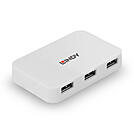
The Lindy 4 Port USB 3.0 Hub allows the user to connect 4 additional peripherals to a USB Type A equipped computer. Capable of data transfer speeds of up to 5Gbps, the hub is also backwards compatible with USB 2.0 and 1.1.
The hub is powered by the USB Bus, while a DC jack is available to connect an external power supply if multiple devices with high power requirements are connected.
With Plug & Play installation, no drivers are required, therefore this hub can be installed with minimum difficulty, ideal for both professional and first time users.
Information about USB 3.0, 3.1 & 3.2
USB 3.0, USB 3.1 and USB 3.2 PCs, cables and devices are all compatible with each other, when using either a USB Type A or USB Type C host interface.
USB 3.0, USB 3.1 Gen 1 and USB 3.2 Gen 1 all support data transfer rates up to 5 Gbps.
USB 3.1 Gen 2 and USB 3.2 Gen 2 both support data transfer rates up to 10 Gbps.
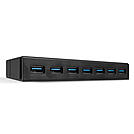
The Lindy 7 Port USB 3.0 Hub with BC 1.2 Charging provides convenient desktop access to USB 3.0 devices including smartphones, tablets or flash drives. 7 USB ports provide much needed expansion whilst also benefiting from data transfer speeds of up to 5Gbps and maintaining backwards compatibility with USB 2.0 and 1.1. The hub supports Multi TT technology which guarantees the highest possible throughput speed for USB 1.1 devices.
The unit also features USB battery charging ports which are each capable of delivering 5V 1.5A up to a total of 36W when the hub is connected to the external power supply, perfect for charging larger devices such as smartphones and tablets. This hub is ideal in environments where multiple devices are frequently used and are required to charge and sync data or to simply increase the number of ports on a PC.
Please note: This product contains 2 USB 3.0 hubs, which needs to be considered if the product is deployed in a larger installation in connection with other devices.
Information about USB 3.0, 3.1 & 3.2
USB 3.0, USB 3.1 and USB 3.2 PCs, cables and devices are all compatible with each other, when using either a USB Type A or USB Type C host interface.
USB 3.0, USB 3.1 Gen 1 and USB 3.2 Gen 1 all support data transfer rates up to 5 Gbps.
USB 3.1 Gen 2 and USB 3.2 Gen 2 both support data transfer rates up to 10 Gbps.
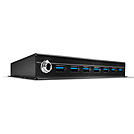
The Lindy 7 Port USB 3.0 Metal Hub has been designed to provide reliable performance in demanding operational environments. This industrial-grade hub features a rugged, all-metal chassis providing excellent EMC protection. With robust metal housing and integrated mounting brackets this Hub is the ideal solution for use in industrial environments.
Backwards compatibility with USB 2.0/1.1/1.0 means the hub can simultaneously support older USB peripherals or systems that lack USB 3.0 capabilities, extending their lifetime and giving a greater return on investment. The hub also supports MTT technology which guarantees highest possible throughput speed for USB 1.1 devices.
Each port features individual short circuit protection, while the included power supply ensures secure and uninterrupted electricity supply.
Please note: This product contains 2 USB 3.0 hubs, which needs to be considered if the product is deployed in a larger installation in connection with other devices.
Information about USB 3.0, 3.1 & 3.2
USB 3.0, USB 3.1 and USB 3.2 PCs, cables and devices are all compatible with each other, when using either a USB Type A or USB Type C host interface.
USB 3.0, USB 3.1 Gen 1 and USB 3.2 Gen 1 all support data transfer rates up to 5 Gbps.
USB 3.1 Gen 2 and USB 3.2 Gen 2 both support data transfer rates up to 10 Gbps.
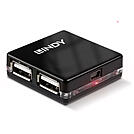
The Lindy 4 Port USB 2.0 Mini Hub allows the user to connect 4 additional peripherals to a USB Type A equipped computer. Capable of data transfer speeds of up to 480Mbps, the hub is also backwards compatible with USB 1.1/1.0. Its compact design makes this hub the perfect companion for mobile devices, especially when travelling.
The hub is powered by the USB Bus and can be used with both bus-powered USB devices (e.g keyboards, pen drives) and self-powered USB devices (i.e. peripherals with their own power supplies, such as printers and external hard drives). When used with bus-powered peripherals it can support 4 devices with a total power consumption of up to 500mA. With Plug & Play installation, no drivers are required, therefore this hub can be installed with minimum difficulty, ideal for both professional and first time users.
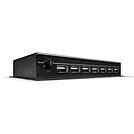
The Lindy 7 Port USB 2.0 Metal Hub has been designed to provide reliable performance in demanding operating environments. This industrial-grade hub features a rugged, all-metal chassis providing excellent EMC protection.
With robust metal housing and integrated mounting brackets this Hub is the ideal solution for industrial environments.
Each USB port port features individual short circuit protection. The included power supply ensures secure and uninterrupted electricity supplies.
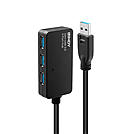
The Lindy USB Active Extension Hub Pro is a high performance hub with active cable that allows access to four USB 3.0 SuperSpeed peripherals over long distances. With support for data transfer speeds of up to 5Gbps this extension hub is perfect for transferring large data volumes quickly and reliably.
This 10m extension hub can be used standalone or as part of the Lindy USB 3.0 Active Extension System Pro. This system is a modular solution that can combine multiple USB Active Extension Pro cables and a USB 3.0 Active Extension Pro hub to distribute USB signals to up to 4 devices at up to about 40m (depending on the cable configurations used).
Please note that only the USB 3.0 Active Extension Pro 8m (Nr. 43158) or 15m (Nr. 43229) can be connected directly to your computer. If you are creating an extension using multiple units from the Extension Pro System then the first unit must always be the USB 3.0 Active Extension Pro 8m (Nr. 43158) or 15m (Nr. 43229). Once the first cable has been connected, you can then cascade further cables to achieve a maximum distance of 40m. The final part of the extension can be any of the three parts of the Extension Pro System. If you need to extend multiple devices or if you connect a USB device with high power requirement, then you should use the 10m Hub Pro unit (Nr. 43159) with it' s power supply as the final part of the extension.
This cable features industry-proven active technology and locking connectors to ensure full signal integrity in the most demanding environments.
Please note: This product contains one USB 3.0 hub, which needs to be considered if the product is deployed in a larger installation in connection with other devices.
Information about USB 3.0, 3.1 & 3.2
USB 3.0, USB 3.1 and USB 3.2 PCs, cables and devices are all compatible with each other, when using either a USB Type A or USB Type C host interface.
USB 3.0, USB 3.1 Gen 1 and USB 3.2 Gen 1 all support data transfer rates up to 5 Gbps.
USB 3.1 Gen 2 and USB 3.2 Gen 2 both support data transfer rates up to 10 Gbps.
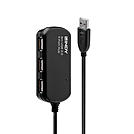
The Lindy USB Active Extension Hub Pro is a high performance hub with active cable that allows access to four USB 2.0 peripherals over long distances. With support for data transfer speeds of up to 480Mbps this extension hub is perfect for transferring data volumes quickly and reliably.
This 8m extension hub can be used standalone or as part of the Lindy USB 2.0 Active Extension System Pro. This system is a modular solution that can combine multiple USB Active Extension Pro cables and a USB 2.0 Active Extension Pro hub to distribute USB signals to up to 4 devices at up to 60m.
The 8m and 12m cable, and the 8m and 12m hub feature a single active repeater module to boost the USB signal. The 30m cable uses two repeaters. A fully deployed extension system is limited to a maximum of 60m and 4 repeater modules. Any combination of cables and a single hub can be connected providing the 60m / 4 repeater limit is not exceeded. The extension hub must always be the last segment of the extension system.
This cable features industry-proven active technology and locking connectors to ensure full signal integrity in the most demanding environments.
Please note: This product contains one USB 2.0 hub, which needs to be considered if the product is deployed in a larger installation in connection with other devices.
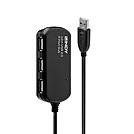
The Lindy USB Active Extension Hub Pro is a high performance hub with active cable that allows access to four USB 2.0 peripherals over long distances. With support for data transfer speeds of up to 480Mbps this extension cable is perfect for transferring data volumes quickly and reliably.
This 12m extension hub can be used standalone or as part of the Lindy USB 2.0 Active Extension System Pro. This system is a modular solution that can combine multiple USB Active Extension Pro cables and a USB 2.0 Active Extension Pro hub to distribute USB signals to up to 4 devices at up to 60m.
The 8m and 12m cable and the 8m and 12m hub feature a single active repeater module to boost the USB signal. The 30m cable uses two repeaters. A fully deployed extension system is limited to a maximum of 60m and 4 repeater modules. Any combination of cables and a single hub can be connected providing the 60m / 4 repeater limit is not exceeded. The extension hub must always be the last segment of the extension system.
This hub features industry-proven active technology and locking connectors to ensure full signal integrity in the most demanding environments.
Please note: This product contains one USB 2.0 hub, which needs to be considered if the product is deployed in a larger installation in connection with other devices.
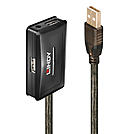
The Lindy USB 2.0 Active Extension Hub uses built-in active electronics to extend the cable length of up to four USB 2.0 devices by an additional 10m whilst continuing to support data transfer rates of up to 480Mbps. With its USB A male and four USB A female connectors it allows multiple Type A devices such as storage devices, webcams and other Type A devices to be connected at longer distances to PCs, laptops and tablets, while also ensuring flexible positioning. Up to 2 USB 2.0 Active Extension Hubs can be chained together to achieve a distance of 20m.
The Lindy USB 2.0 Active Extension Hub is compatible with all USB Type A equipped computers. With plug and play functionality, it can be installed quickly and with minimum fuss. It also features a DC socket for connecting an external power supply (5V 2A, not included) when using USB peripherals which have higher power requirements.
Please note: This product contains one USB 2.0 hub, which needs to be considered if the product is deployed in a larger installation in connection with other devices.
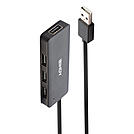
The Lindy 4 Port USB 2.0 Hub allows the user to connect 4 additional peripherals to a USB Type A equipped computer. Capable of data transfer speeds of up to 480Mbps, the hub is also backwards compatible with USB 1.1 and 1.0.
The hub is powered by the USB Bus, while a DC jack is available to connect an external power supply if multiple devices with high power requirements are connected.
With Plug & Play installation, no drivers are required, therefore this hub can be installed with minimum difficulty, ideal for both professional and first time users.
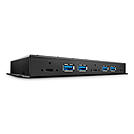
The Lindy 7 Port USB 3.2 Gen 2 Metal Hub has been designed to provide reliable performance in demanding operating environments at USB 3.2 Gen 2 speeds up to 10 Gbps. This industrial-grade hub features a rugged, all-metal chassis providing excellent EMC protection. With robust metal housing and integrated mounting brackets this hub is the ideal solution for industrial environments. All Type C sockets of the hub allow the connection of single or dual screw USB 3.1 cables which are compliant with USB-IF Type C locking specification.
Each port features individual short circuit protection - and all 7 USB ports support the Battery Charging specification 1.2 with a total charging power of 40 Watts for all 7 ports. The hub can be powered by the included power supply or the terminal block, ensuring flexible, secure and uninterrupted electricity supplies.
Please note: This product contains 2 USB 3.0 hubs, which needs to be considered if the product is deployed in a larger installation in connection with other devices.
Information about USB 3.0, 3.1 & 3.2
USB 3.0, USB 3.1 and USB 3.2 PCs, cables and devices are all compatible with each other, when using either a USB Type A or USB Type C host interface.
USB 3.0, USB 3.1 Gen 1 and USB 3.2 Gen 1 all support data transfer rates up to 5 Gbps.
USB 3.1 Gen 2 and USB 3.2 Gen 2 both support data transfer rates up to 10 Gbps.
 |
A USB hub expands a single USB port into several ports, allowing a keyboard, mouse, storage media, webcam and other peripherals to be used simultaneously on one device. Whether at the office desk, in the home office or in industrial environments – a high-quality USB hub keeps things organised, saves costs and boosts productivity.
Benefits at a glance: more connections from one port, less plugging and unplugging, clean cable management and flexible use with notebooks, desktops or thin clients.
The classic solution for office use: 4 to 10 ports with transfer rates of up to 10 Gbit/s (USB 3.2 Gen 2) – ideal for external hard drives, USB flash drives and input devices. Lindy offers models with metal housings and an optional power supply for stable continuous operation.
The modern answer to the growing number of USB-C ports on notebooks and ultrabooks. They combine USB-A ports, HDMI or DisplayPort, Ethernet and often USB-C Power Delivery in a compact housing – all connected via a single cable.
Designed for demanding environments: rugged metal housings, extended temperature range, locking power connectors and optional DIN rail mounting for production lines, medical technology and broadcast installations.
A USB hub only adds USB ports. A docking station also offers video outputs, Ethernet and often Power Delivery – but is designed for a single host and cannot switch between multiple computers.
Theoretically up to 127 devices via several cascaded hubs. In practice, the available bandwidth and power supply of the host port limit the sensible number to 4–10 actively used devices.
As a specialist in professional AV/IT connectivity, Lindy offers USB hubs for every application – from compact travel adapters to industrial 10-port hubs with locking screws. Our technical sales team is happy to help with project enquiries and volume pricing.
