


We use third party services that help us to improve and optimize our online experience. For the use of certain services we need your prior consent which can be revoked at any time. You can find further information on data protection in our privacy policy
Details
In order to optimise our website, we use services that collect and aggregate data and make it available to us as a statistical overview.
You are here: » Homepage
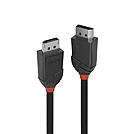
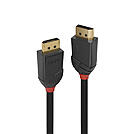
From the Lines cable connectivity concept developed by Lindy, Black Line DisplayPort cables are fully featured, entry level high resolution connection solutions, perfect for home and small office use.
Black Line DisplayPort cables feature triple shielded construction with 30AWG copper conductors for performance and corrosion resistance. Nickel connectors and 24K gold plated contacts maintain signal integrity and reliability.
UHD resolutions up to 4K 4096x2160@60Hz 4:4:4 10bit are supported. Black Line DisplayPort cables are also capable of transmitting 32 channel audio and Dolby True HD. Black Line DisplayPort cables are capable of delivering 4:4:4 colour spacing for the most accurate colour representation possible.
Black Line DisplayPort cables are available in lengths: 0.5m, 1m, 1.5m, 2m and 3m
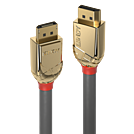
From the Lines cable connectivity concept developed by Lindy, Gold Line DisplayPort cables are the no compromise, high performance connection solution for use in the most demanding professional environments.
Gold Line DisplayPort cables feature triple shielded construction with 24AWG OFC conductors for premium performance and corrosion resistance. High quality 24K gold plated contacts and connectors maintain optimal signal integrity and maximum reliability.
UHD resolutions up to 8K 7680x4320@60Hz 4:2:2 8bit, including 4K 4096x2160@120Hz 4:4:4 8bit and HDCP are supported. DisplayPort 1.4 technology and DisplayPort compliance certification ensures compatibility with all DisplayPort enabled devices.
These superior quality cables utilise a unique low attenuation design that ensures consistent and reliable transmission even over very long distances.
Gold DisplayPort cables are available in lengths: 0.5m, 1m, 2m, 3m, 5m, 7.5m, 10m, 15m and 20m
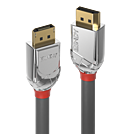
From the Lines cable connectivity concept developed by Lindy, Cromo Line DisplayPort cables are high performance, designer connections that combine premium construction materials with striking connector architecture.
Cromo Line DisplayPort Cables feature triple shielded construction with 28AWG conductors for premium performance and corrosion resistance. High quality 24K gold plated contacts and connectors maintain optimal signal integrity and maximum reliability.
UHD resolutions up to 8K 7680x4320@60Hz 4:2:2 8bit, including 4K 4096x2160@160Hz 8bit, are supported. Cromo Line DisplayPort cables are capable of delivering 4:4:4 colour spacing for the most accurate colour representation possible.
Cromo Line cables feature sleek chrome design ABS housing to complement the aesthetics of style focused commercial and home applications.
Cromo Line DisplayPort cables are available in lengths: 0.5m, 1m, 2m, 3m and 5m
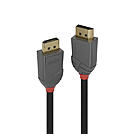
From the Lines cable connectivity concept developed by Lindy, Anthra Line DisplayPort cables are the professional choice for high performance connections in commercial AV and IT installations.
Anthra Line DisplayPort cables are premium connections that feature triple shielded with 28AWG tinned copper conductors for performance and corrosion resistance. High quality 24K gold plated contacts and connectors maintain optimal signal integrity and maximum reliability.
UHD resolutions up to 8K 7680x4320@60Hz 4:2:2 8bit, including 4K 4096x2160@144Hz 4:2:2 10bit and HDCP are supported. DisplayPort 1.4 technology and DisplayPort compliance certification ensures compatibility with all DisplayPort enabled devices.
Anthra Line DisplayPort cables are available in lengths: 0.5m, 1m, 2m, 3m, 5m, 7.5m and 10m.
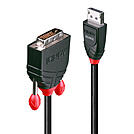
The Lindy DisplayPort to DVI Cable is perfect for connecting a DisplayPort-equipped source, such as a PC or laptop, to a DVI display. It supports high-definition video resolutions up to 1920x1200@60Hz, ensuring clear and detailed visuals for your applications.
This versatile cable can also be used to add an additional display, extending the available desktop workspace and increasing productivity. Whether in a residential setup or a workplace office environment, the Lindy DisplayPort to DVI Cable provides a reliable and efficient way to expand your display options and enhance your overall workflow.
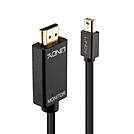
Connect your Mini DisplayPort equipped PC or laptop to an HDMI® display with the Lindy Mini DisplayPort to HDMI® 4K30Hz Adapter Cable. This cable supports stunning 4K UHD resolutions up to 3840x2160 at 30Hz, ensuring your videos are displayed with superior clarity. Ideal for both home and office environments, it allows you to extend your desktop workspace whilst also boosting productivity by adding an additional display.
The lindy Mini DisplayPort to HDMI® cable also supports uncompressed 7.1 audio and advanced audio formats such as DTS-HD Master Audio and Dolby TrueHD.
Please note: Audio output over HDMI® is only possible if your graphics card supports audio output via Mini DisplayPort.
The terms HDMI, HDMI High-Definition Multimedia Interface, HDMI Trade dress and the HDMI Logos are trademarks or registered trademarks of HDMI Licensing Administrator, Inc.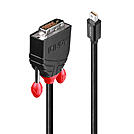
The Mini DisplayPort to DVI Cable is the perfect solution for connecting a Mini DisplayPort-equipped source, such as a PC or laptop, to a DVI display. It supports high-definition video resolutions up to 1920x1200@60Hz, ensuring clear and sharp visuals for both professional and personal use. This cable can also be used to add another display to your setup, extending the available desktop workspace and increasing productivity. It is an excellent choice for both residential and workplace office setups, making multitasking more efficient and improving overall workflow.
Please note that to use this passive cable, the source device must support dual-mode Display Port (also known as DP++), which allows the transmission of DVI signals through the Mini Display Port connector. This ensures seamless compatibility and high-quality video output, making the Mini Display Port to DVI Cable a versatile and reliable addition to your connectivity options.
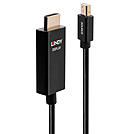
Lindys Active Mini DisplayPort to HDMI® 4K60Hz Adapter Cable combines superior performance with sleek design. This high-quality cable converts Mini DisplayPort signals up to 60Hz for output to an HDMI® display or projector. With an integrated chipset, it ensures a reliable connection and enhances compatibility with both dual-mode and non-dual-mode graphic cards, making it perfect for use with devices like Surface, MacBook, and other notebooks without needing additional adapters.
Supporting resolutions up to 4096x2160 at 60Hz and High Dynamic Range (HDR), this cable delivers crystal-clear clarity, enhanced contrast, and lifelike colors. Ideal for creating eye-catching retail displays, innovative work environments, or immersive video playback in sports bars and home cinemas, it also supports uncompressed multi-channel audio for a three-dimensional surround sound experience.
Additionally, AMD Eyefinity technology support offers a cost-effective way to create ultra-high resolution displays using up to three or more monitors. This feature allows users to run multiple applications simultaneously on separate screens, boosting productivity in the workplace or providing a widescreen gaming experience.
Please Note: Audio output over HDMI® requires that your graphics card supports audio output via DisplayPort. Some onboard graphics adapters, like the Mobile Intel 4 Series Express Chipset in notebooks, do not support audio output over DisplayPort, even with HDMI® support installed. In such cases, a separate audio connection is necessary.
The terms HDMI, HDMI High-Definition Multimedia Interface, HDMI Trade dress and the HDMI Logos are trademarks or registered trademarks of HDMI Licensing Administrator, Inc.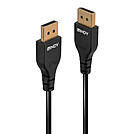
Lindy_s range of slim DisplayPort cables provide a more flexible and high-quality DP connection solution, utilising a specially designed compact, low profile connector and a smaller diameter cable structure.
With their compact, high performance design, these cables are ideal for situations where space is limited around source & display ports, such as with gaming monitors or graphics cards.
Their triple shielded 30AWG pure copper conductors ensure overall improved performance, while gold-flashed phosphor bronze pins protect against corrosion and fatigue.
High quality 24K gold plated contacts and connectors maintain optimal signal integrity and maximum reliability.
Supporting DP 1.4 resolutions including 8K@60Hz and 4K@144Hz, these cables are great for high-level gaming setups, whether in the home or in an eSports arena, or alternatively with small-scale, digital signage installs such as Shop-in-Shops or concession stands.
With lengths available in 0.5, 1, 2 and 3m, they are also a versatile solution for collaborative huddle spaces or engaging education setups when combined with a touch panel or LFD (large format display).
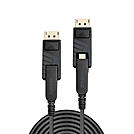
Lindy_s range of Fibre Optic Hybrid Mini DP 1.4 Cable with detachable connectors are the professional solution for extending both Mini DisplayPort and DisplayPort signals over longer distances, with no requirement for additional adapters. Combining the flexibility and high EMI & RFI resistance of fibre optic cable with standard copper cabling, these hybrid cables are ideal for use in critical AV setups or commercial installations.
Supplied as a thin cable with a premium metal, narrow Mini DisplayPort connector, this can be installed easily through conduit and other narrow spaces with no damage caused to the internal cable structure, while the detachable DisplayPort connector can be added at the ends of the installation for connection to an even wider variety of displays and devices such as PCs or digital signage. This innovative design allows for a much wider range of connectivity solutions that can be customized freely by the user, including Mini DP to Mini DP, DP to DP or Mini DP to a DP display.
Supporting all the premium features that come with the DP 1.4 specification, these cables can deliver resolutions up to 8K at 60Hz, or 4K at high frame rates of 120Hz, perfect for ensuring the best possible image quality in attention grabbing retail displays, immersive AV installations at events or a responsive, crystal-clear solution in transportation settings. Static and dynamic HDR support ensures a much wider colour gamut, greater contrasts and an enhanced brightness to provide eye-catching content even in outdoor or brightly lit scenarios.
 |
 |
DisplayPort (DP) is the standard for digital signal transmission between a PC, notebook or graphics card and a monitor. A DisplayPort cable carries video and sound, including 32-channel audio, at high resolutions and high refresh rates. This makes DisplayPort the first choice for office workstations, CAD, image editing and gaming monitors running at 144Hz or 240Hz.
Key benefits: high bandwidth for 4K and 8K, multi-monitor operation via MST, Adaptive Sync, HDCP copy protection and a latching DisplayPort connector that prevents accidental disconnection.
Delivers 4K at 60Hz and is sufficient for Full HD and standard office monitors.
Offers 4K at 120Hz and, with DSC (Display Stream Compression), 8K at 60Hz as well as HDR10.
Reaches up to 80 Gbit/s for 8K and for 4K at very high refresh rates. Look out for VESA-certified DP40 or DP80 cables.
All versions are backwards compatible; performance is determined by the weakest device in the chain.
Connect the DisplayPort output directly to the monitor. High-quality shielding ensures a stable, flicker-free picture.
Connect notebooks, MacBooks and docking stations that lack a full-size DisplayPort port.
Bridge longer distances, for example in meeting rooms, without any loss of resolution.
Adapters to HDMI, DVI or VGA connect DP sources to the HDMI input of TVs, projectors or older displays. Important: passive adapters only work in the DisplayPort to HDMI direction. For HDMI to DisplayPort you need an active converter.
On PC monitors, DisplayPort usually offers more bandwidth, MST and higher refresh rates. HDMI is the standard for TVs and projectors.
Common causes are the wrong input selected on the monitor, a cable with insufficient bandwidth or a passive adapter used in the wrong direction.
DisplayPort cables & adapters from Lindy: As a manufacturer, Lindy develops DisplayPort models for professional applications – RoHS compliant and ranging from passive cables to 15m active cables and certified DisplayPort 2.1 cables. System integrators and IT departments can get advice on projects and volume pricing from our technical sales team.
