We use third party services that help us to improve and optimize our online experience. For the use of certain services we need your prior consent which can be revoked at any time. You can find further information on data protection in our privacy policy
Details
In order to optimise our website, we use services that collect and aggregate data and make it available to us as a statistical overview.
You are here: » Homepage
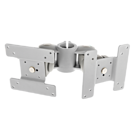
Please note: The pole is not included and must be purchased separately.
These Dual Adjustable LCD Arms are part of our unique, Silver Modular Desktop Mounting System. With this system you can easily create customized solutions for mounting your laptops and displays in a variety of different configurations.
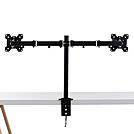
The Lindy Dual Display Bracket with Pole and Desk Clamp is a high quality, all in one solution for mounting dual monitors or displays to a standard office desk or table. With a robust design and manoeuvrable aarm, the displays can be easily tilted, pivoted or rotated to ensure the optimum viewing angle while also positioned suitably for the viewer.
This mount will fit most major brands and models of monitor that have a VESA size of 100 x 100 or 75 x75mm. (Compliant to VESA standards - VESA measurements are the recesses on the back of your TV or screen. Please measure these to ensure your TV is compatible with this bracket).
Please note: Please confirm this bracket can support the display's VESA mounting dimensions and weight before ordering
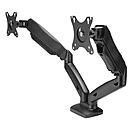
The Lindy Dual Display Gas-Spring Desktop Mount is a flexible, elegant solution for creating additional workspace in educational, office based or home environment, removing the need clunky, traditional monitor stands. This mount is ideal for two displays up to 27” and 6.5kg in weight each, utilising the global standard VESA, compatibility is virtually guaranteed.
Gas-spring adjustment offers huge quality of life improvements over traditional, clamp-based brackets. The display can be positioned freely as this mount allows for 360° rotation, as well as 180° pivot & up to 145° tilt adjustment. Height adjustment ensures users can position any display in their direct eyeline, helping to create a comfortable, ergonomic workspace and reducing health risks. All of this can be done without the need for any tools post installation.
Integrated cable management produces a clean, minimalist workspace, as ugly cable clutter is a thing of the past. Due to the nature of this bracket, desk space is freed up for alternative hardware, or more workspace, perfect for those in cramped office environments such as call centres, or live chat help desks.
Please note: This display uses the VESA standard for mounting, confirm that any display is also compatible with VESA mounting dimensions and is below the maximum supported weight.
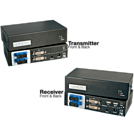
Please note: Does not support HDCP over DVI & HDCP-encrypted HDMI signals
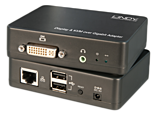
This KVM Extender transmits two DVI-D signal over distances up to 1000m in HD resolutions up to 1920 x 1200 (WUXGA) with no loss of image quality. Its high speed optical transmitter uses multiple active wavelengths for uncompressed data transfer between transmitter and receiver units.
Utilising 1:1 duplex multi-mode fibre optic cable allows you to make a substantial cost saving compared to other solutions that require multi-core fibre cables.
It also means transmission problems caused by using unequal simplex cables can be easily avoided from the outset, reducing installation time and costs.
Support for infrared control signals also means you gain the additional bonus of being able to control additional devices from a single hardware installation.
Package Contents:
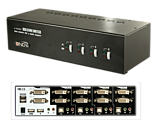
This KVM switch offers all connection possibilities for the very latest PC peripherals.
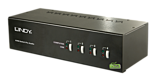
Control four Dual Head DVI-I Single Link equipped computers using a single keyboard, monitor and mouse with independent control over audio. An integrated USB 2.0 hub allows you to share USB devices such as pen drives, hard drives and printers, between the computers.
Representing excellent value for money it can support both high resolution digital and analogue systems.
True Transparent USB Function
True Transparent USB switching is an advanced USB emulation technology. It allows the KVM to recognise specific keyboard & mouse models and emulate any of their associated special key and function information.
Unique Switching Options
A unique switching arrangement allows the built-in USB hub to be switched independently of the computers allowing you to print from one PC whilst playing games on another. Similarly, independent audio switching means you can listen to music from one computer while browsing the internet on the other.
DVI-I Support
Supports DVI-I Single Link monitors and computers with video resolutions up to a maximum of 1920 x 1200. The switch can also be used with analogue VGA computers using compatible adapter cables.
Package Contents
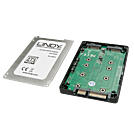
The LINDY Dual M.2 SSD RAID Enclosure allows two M.2 SSD modules to be installed in a single 2.5” drive housing enclosure. This is designed to be used just like a standard SATA 2.5” drive but with the added high performance and configurable RAID.
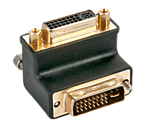
Ideal for all devices where the DVI connection socket does not offer enough space for a normal DVI cable connection.
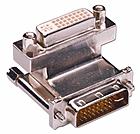
Ideal for all devices where the DVI connection socket does not offer enough space for a normal DVI cable connection.
 |
 |