We use third party services that help us to improve and optimize our online experience. For the use of certain services we need your prior consent which can be revoked at any time. You can find further information on data protection in our privacy policy
Details
In order to optimise our website, we use services that collect and aggregate data and make it available to us as a statistical overview.
You are here: » Homepage
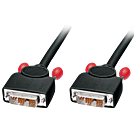
The LINDY DVI-D Single Link Cable is ideal for use as an LCD monitor cable or DVI projector cable. Just one of our huge range of DVI cables and DVI leads which also includes DVI-I cables with analogue support.
Package Contents:
1m Dual Link DVI-D Cable, Black
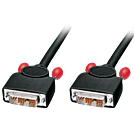
The LINDY DVI-D Single Link Cable is ideal for use as an LCD monitor cable or DVI projector cable. Just one of our huge range of DVI cables and DVI leads which also includes DVI-I cables with analogue support.
Package Contents:
2m Dual Link DVI-D Cable, Black
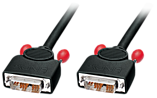
Just one of our huge range of DVI cables and DVI leads. For connecting DVI devices at distances of over 10m, use our Super Long Distance DVI Cables.
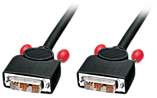
Just one of our huge range of DVI cables and DVI leads. For connecting DVI devices at distances of over 10m, use our Super Long Distance DVI Cables.
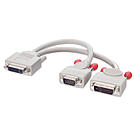
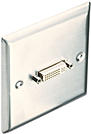
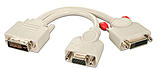
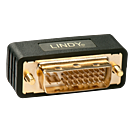
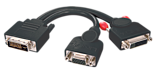
This splitter cable enables a computer, which supports simultaneous digital and analogue video output via its DVI-I output port, to be connected to two separate monitors, e.g. one DVI TFT and one VGA CRT.
Please Note: Before purchasing this cable, please ensure that your computer can output simultaneous digital and analogue signals from its DVI-I port. You may need to check your system documentation or contact your the computers manufacturer for clarification.
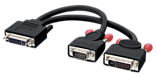
This splitter cable enables a computer, which supports simultaneous digital and analogue video output via its DVI-I output port, to be connected to two separate monitors, e.g. one DVI TFT and one VGA CRT. Use a DVI-I cable to connect the splitter cables DVI-I Female connector to the DVI-I output port on your monitor.
Please Note: Before purchasing this cable, please ensure that your computer can output simultaneous digital and analogue signals from its DVI-I port. You may need to check your system documentation or contact your computer manufacturer for clarification. A DVI-I cable is required to connect to a DVI-I output port. We also recommend that, if possible, you use a monitor that supports automatic switching between analogue and digital video inputs, otherwise you will have to manually select the appropriate input on your monitor each time you switch between PCs.
 |
 |