
We use third party services that help us to improve and optimize our online experience. For the use of certain services we need your prior consent which can be revoked at any time. You can find further information on data protection in our privacy policy
Details
In order to optimise our website, we use services that collect and aggregate data and make it available to us as a statistical overview.
You are here: » Homepage
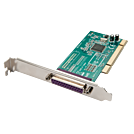
The LINDY 1 Port Parallel PCI card can be installed in a spare PCI slot to provide one Parallel port. Ideal for POS, Modems, GPS receivers, equipment configuration, printers and more.
Finished to a high standard, the card allows for an easy and safe upgrade, requiring as few tools as possible. Gold-plated finger contacts help limit oxidisation inside the computer extending the life and usefulness of the card.
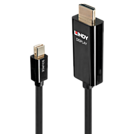
Lindy’s Active Mini DisplayPort to HDMI Cable range combine superior performance with stylish design to provide a high quality conversion of Mini DP 4K@60Hz signals to output to a HDMI display or projector. This range of active cables come with an in-built chipset to not only provide a reliable connection, but also enhance compatibility with both dual mode and non-dual mode graphic cards and source devices, perfect for use with Surface, MacBook and notebook devices, while avoiding the need for additional adapters.
With support for resolutions up to 4096x2160@60Hz, these cables are great for creating eye-catching retail displays, innovative working environments or immersive video playback in sports bars and home cinema installations, while support for uncompressed multi-channel audio allows for an impressive three-dimensional surround sound performance to compliment detailed, clear video.
Support for AMD Eyefinity technology also brings the user a cost effective way of creating a non-standard aspect ratio or ultra-high resolution display made up from up to 3 or more monitors. This feature also allows the user to run multiple applications simultaneously on separate screens, improving productivity in the workplace or creating a widescreen gaming experience.
Please note:
Audio output over HDMI is only supported when the graphics card of the notebook or desktop computer supports audio output over DisplayPort. Several on-board graphics adapters such as Mobile Intel 4 Series Express Chipset in Notebooks (i.e. Dell E6400) do NOT support audio output over DisplayPort, even when HDMI support (Intel High Definition Audio HDMI Service) is installed for audio controllers. In such instances a separate audio connection has to be set up.
Please note: Some of Nvidia's latest drivers do not work correctly at 4k@60Hz 4:4:4 when converting from DP/mDP to HDMI and will only work at 4k@60Hz 4:2:2
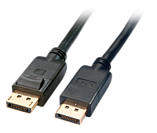
This superb DisplayPort cable benefits from advanced design and construction to provide the best possible performance and reliability. It's 24K gold plated connector pins ensure superb signal integrity and corrosion resistance whilst the shielded cable design allows consistent performance, even over longer transmission distances. It's the perfect choice for the next generation of high definition video cards and monitors.
DisplayPort - The new standard for maximum display performance
DisplayPort is the next generation digital display interface standard designed to replace DVI, LVDS, and eventually VGA. DisplayPort delivers a higher performance, enables exciting new monitor designs and improves digital display connectivity.
All Digital
No compression, no conversion, pure digital direct from the source as it was meant to be seen and heard.
One Cable
All of your HD video and audio in one cable. Say goodbye to cable clutter. One DisplayPort has over twice the capability of one single channel DVI cable.
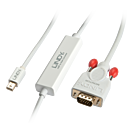
The Lindy Mini DisplayPort to VGA Cable is ideal for connecting a Mini DisplayPort equipped source such as a PC, laptop or notebook to a legacy VGA display or projector. It converts the digital signal from the Mini DisplayPort connection into an analogue VGA signal and supports high definition video resolutions up to 1920x1200@60Hz.
This cable can also be used to add another display to extend the available desktop workspace and increase productivity.
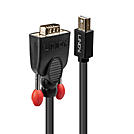
The Lindy Mini DisplayPort to VGA Cable is ideal for connecting a Mini DisplayPort equipped source such as a PC, laptop or notebook to a legacy VGA display or projector. It converts the digital signal from the Mini DisplayPort connection into an analogue VGA signal and supports high definition video resolutions up to 1920x1200@60Hz.
This cable can also be used to add another display to extend the available desktop workspace and increase productivity.
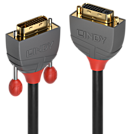
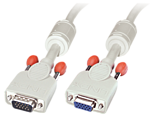
From the Lines cable connectivity concept developed by Lindy, Anthra Line DVI-D Dual Link cables are the professional choice for high resolution connections in commercial AV and IT applications.
Anthra Line DVI-D Dual Link are premium cables that feature triple shielded construction with 28AWG tinned copper conductors for performance and corrosion resistance. High quality 24K gold plated contacts and connectors maintain optimal signal integrity and maximum reliability.
The tough PVC housing incorporates an integrated finger grip for easy installation. Large thumb screws allow the connector to be tightened into place without the need for a screwdriver and a flexible strain relief prolongs cable life.
Anthra Line DVI-D Dual Link cables support resolutions up to 2560x1600@60Hz including HDTV resolutions up to 1080p.
Anthra Line DVI-D Dual Link Extension cables are available in lengths of 0.5m to 5m.
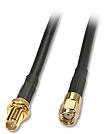
Use this cable in order to create a spatial separation from WIFI and other aerials with a RP-SMA connection from your WIFI access point at the best possible position.
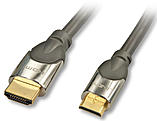
The CROMO® High Speed HDMI to Mini HDMI Cable with Ethernet is a superb, high quality cable, ideal for use with mobile phones, smartphones, digital cameras, camcorders and home cinema installations.
It provides premium quality cable construction at an affordable price and features 24K gold plated contacts for optimum conductive ability and resistance to tarnishing and corrosion.
HDMI ATC (Authorised Test Centre) certified for High Speed Category 2 compliance.
HDMI - The Standard for Connecting HDTV
All Digital
No compression, no conversion, pure digital direct from the source as it was meant to be seen and heard.
One Cable
All of your HD video and audio in one cable.
Say goodbye to cable clutter.
One HDMI cable can replace up to 8 audio and 5 video cables.
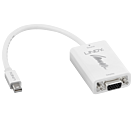
The Lindy Mini DisplayPort to VGA Converter is ideal for connecting a Mini DisplayPort equipped source such as a PC or laptop to a VGA monitor. It supports high definition video resolutions up to 1920x1200@60Hz. Active conversion ensures compatibility with various graphics cards including AMD Eyefinity, NVIDIA surround and Intel Collage.
This converter can also be used to add a secondary monitor for extended or mirrored desktop modes to increase productivity and screen real estate. Internal copper shielding provides enhanced reliability and compatibility. The converter is also ideally suited for travelling due to its compact, lightweight form factor and convenient plug & play installation.
 |
 |