We use third party services that help us to improve and optimize our online experience. For the use of certain services we need your prior consent which can be revoked at any time. You can find further information on data protection in our privacy policy
Details
In order to optimise our website, we use services that collect and aggregate data and make it available to us as a statistical overview.
You are here: » Homepage
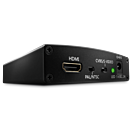
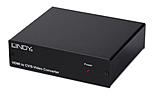
This converter converts a digital HDMI signal into analogue AV signals. Output is via SVHS/S video connection or Composite Video and Stereo RCA sockets. Simple plug and play - no configuration necessary, No changes are made to the resolution of the video signal.
Film playback of HDMI signals with HDCP encryption, such as e.g. Blu-ray- or DVD players is not supported! The HDMI standard prohibits this and it is therefore illegal.
For a premium version with HDMI bypass and multiple outputs, see No. 32597
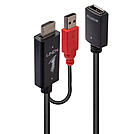
The Lindy HDMI to DisplayPort allows the connection of HDMI capable devices, such as a PC, Blu-ray player or notebooks to modern DisplayPort displays or projectors. It supports resolutions up to 3840x2160@30Hz and 7.1 digital audio up to 192kHz.
For added convenience the converter features a USB power cable, allowing it to be externally powered when used with a low power interface. The converter can also be used to add another display to extend the available desktop workspace. It is also ideally suited for travelling due to its compact, lightweight form factor and convenient plug & play installation.
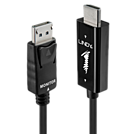
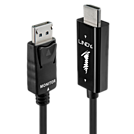
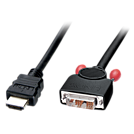
The LINDY HDMI to DisplayPort adapter cable allows you to connect newer PCs and Laptops with HDMI connections to DisplayPort equipped monitors or displays.
Simply connect the cable to the HDMI Port of the source device and the DisplayPort connector to a DP equipped monitor or projector.
* Warning: Some Apple Cinema Display Thunderbolt / DisplayPort can support resolutions up to 720p (1280x720) or may not be compatible with this connection. Apple monitors do not support high resolutions using the DP protocol but only through EDID protocol Thunderbolt EDID.
Technical specifications:
Audio output over HDMI is only supported when the graphics card of the notebook or desktop computer supports audio output over DisplayPort. Several on-board graphics adapters such as Mobile Intel 4 Series Express Chipset in Notebooks (i.e. Dell E6400) do NOT support audio output over DisplayPort, even when HDMI support (Intel High Definition Audio HDMI Service) is installed for audio controllers. In such instances a separate audio connection has to be set up.
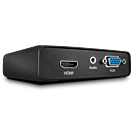
The Lindy HDMI to HDMI & VGA Splitter is a simple to use solution for connecting HDMI equipment such as a PC to two HD displays, one with an HDMI interface, and one with a VGA and analogue audio interface. Integrates modern and legacy equipment within new and existing installations such as small meeting rooms and classrooms.
Supports resolutions up to 1920x1080p @60Hz 4:4:4 8bit (HDMI) / 60Hz RGB (VGA) with direct signal conversion without the need for scaling. This Splitter is also capable of digital to analogue audio conversion.
Supplied with mounting brackets and supports for cable lengths of up to 10m (in and out) allowing for flexible installation behind a monitor or under a desk depending on requirements.
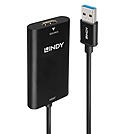
The Lindy HDMI to USB 3.0 Video Capture Device is designed to capture video and audio from any* HDMI source device. Once installed a variety of software packages can be used, making it ideal for use with computers, games consoles, camcorders and security systems. This also gives the ability to provide a high quality input signal for devices such as a camera, ideal when used in combination with a PC for live webcam functionality.
60Hz capture has the benefit of double the frame rate over older 30Hz capture devices which allows a smoother and clearer video to be saved or viewed.
Plug & Play installation means that you don’t have to worry about complex driver installs for devices with Windows 8 & 10, macOS X 10.8 or above, simply insert the capture device and the installation will begin automatically by your operating system.
Please note: No software is provided with this capture device, 3rd party software must be used. We have tested Open Broadcaster Software, Wirecast, Adobe FMLE, Daum PotPlayer, Skype and also the Windows 10 “Camera” app.
*No support for HDCP content and supports 59/60 Hz input only
Information about USB 3.0, 3.1 & 3.2
USB 3.0, USB 3.1 and USB 3.2 PCs, cables and devices are all compatible with each other, when using either a USB Type A or USB Type C host interface.
USB 3.0, USB 3.1 Gen 1 and USB 3.2 Gen 1 all support data transfer rates up to 5 Gbps.
USB 3.1 Gen 2 and USB 3.2 Gen 2 both support data transfer rates up to 10 Gbps.
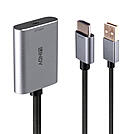
The Lindy HDMI® to USB Type C Converter allows the connection of HDMI® source devices, such as a PC, Blu-ray player or media player to USB Type C equipped monitors, digital signage panels and LFDs (Large Format Displays). More and more displays are using the USB Type C connection, and this cable will allow you to harness the video capabilities from your HDMI® source connection, to deliver astonishing quality to a range of displays such as ultra-thin monitors, portable screens, and touch panels as well as smartboards or portable projectors. Supporting resolutions up to 3840x2160@60Hz, this converter outputs content with superior clarity within innovative workspaces, engaging collaboration environments and educational setups. Immersive multi-channel audio is supported up to 7.1CH to compliment the video on screen.
For added convenience the converter features a USB power cable, allowing the converter to be externally powered when used with low power HDMI® sources. It is also ideally suited for travelling due to its compact, lightweight form factor and convenient plug & play installation.
 |
 |