We use third party services that help us to improve and optimize our online experience. For the use of certain services we need your prior consent which can be revoked at any time. You can find further information on data protection in our privacy policy
Details
In order to optimise our website, we use services that collect and aggregate data and make it available to us as a statistical overview.
You are here: » Homepage
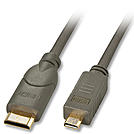
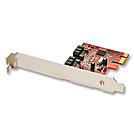
**Note: The cable length at internal SATA connection is limited to a maximum of 1m. As several, additional plug connections can be inserted for this adapter module, on mainboards with weak SATA signals, functional problems are possible at an overall length - internal and external - of one length. Depending on where the SATA connections are placed on the mainboard, the connection can be made with short cables on the module. Use the enclosed short extension cables only when absolutely necessary. The length of the external eSATA connection is limited to a maximum of 50cm.
Adapted from 2x 5.25x connector to 6-pin/8-pin PCIe-/ATX connector
Note: Pay attention to the strength of the individual outputs of your power supply (usually this information can be found on the power supply) and the power requirement of all of the components in your PC used.
Data and Power cable.
• SATA 7 Pin Female to SATA 7 Pin Female data cable
• 30cm SATA 15 Pin Male to SATA 15 Pin Female power cable
• 15cm SATA III - backwards compatible with SATA I and SATA II
• 10 Year warranty
Data and Power cable.
• SATA 7 Pin Female to SATA 7 Pin Female data cable
• 50cm SATA 15 Pin Male to SATA 15 Pin Female power cable
• 15cm SATA III - backwards compatible with SATA I and SATA II
• 10 Year warranty
Simply install this IP Module in to the expansion port of our Modular U Series KVM switch, UC Series KVM Switch or LCD Console with integrated Modular KVM Switch. Once installed the KVM switch may be accessed either through the integrated 10/100Base-T port via LAN or via the integrated serial interface via modem for dial connections.
KVM over IP remote access to the KVM over IP Extender can be accessed:
1. Via VNC using a VNC client, please see the Web for VNC clients
NOTE: The previous Java control option is no longer supported. This system is now only working through the VNC software
Simply install this IP Module in to the expansion port of our KVM Switch CAT-32 IP to access your KVM Switch CAT-32 IP in your offices or at any of your customers offices worldwide via IP or the Internet. Once installed the KVM switch may be accessed either through the integrated 10/100Base-T port via LAN or via the integrated serial interface via modem for dial connections.
KVM over IP remote access to the KVM over IP Extender can be accessed via VNC using a VNC client, please see the Web for VNC clients
Remote control through VNC software
![]() |
![]() |