


We use third party services that help us to improve and optimize our online experience. For the use of certain services we need your prior consent which can be revoked at any time. You can find further information on data protection in our privacy policy
Details
In order to optimise our website, we use services that collect and aggregate data and make it available to us as a statistical overview.
You are here: » Homepage
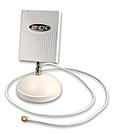
This antenna for internal use is ideal for wall positioning to distribute your Wifi signal from there in one direction. The angle of deflection is restricted compared with Art.No. 52112 (omnidirectional antenna) . To compensate, the antenna gain is somewhat larger at 8dBi - as a result, the signal can reach the same area through lateral signal feed into larger rooms.
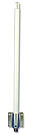
Weather-proof exterior antenna with high antenna gain through emission characteristics for frequency range 2.4 GHz Wifi IEEE 802,11n/g/b, Bluetooth
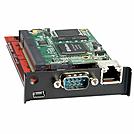
Simply install this IP Module in to the expansion port of our Modular U Series KVM switch, UC Series KVM Switch or LCD Console with integrated Modular KVM Switch. Once installed the KVM switch may be accessed either through the integrated 10/100Base-T port via LAN or via the integrated serial interface via modem for dial connections.
KVM over IP remote access to the KVM over IP Extender can be accessed:
1. Via VNC using a VNC client, please see the Web for VNC clients
NOTE: The previous Java control option is no longer supported. This system is now only working through the VNC software
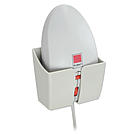
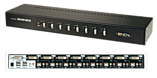
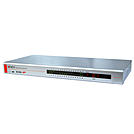
A KVM switch allows an operator to conveniently control and manage multiple devices, such as PCs and servers, from a single keyboard, mouse and display console.
The Lindy Combo KVM Switch is a hardware solution that allows direct control of multiple computers using a single keyboard, mouse and VGA monitor. It's ideal for system administrators who want to control multiple computers or servers from a single, centralised location.
The switch occupies only a single 1U space in a 19_ rack and supports screen resolutions of up to 1920x1200, great for ensuring optimum clarity if used in digital media or graphic design scenarios. It provides 3 simple switching modes, via keyboard hotkeys, front panel buttons and On-Screen Display; setup and management options can be access only via the OSD.
A local console can be connected to the 2 USB and VGA ports on the rear panel while a Daisy Chain VGA port can be used to connect up to 8 Lindy Combo series switches in order to manage to up to 256 multi platform computers with security features, password access and auto log out, perfect for large-scale control systems in transport hubs or surveillance centres. All the functions are accessible from the administrator through a simple to use On-Screen Display.
PCs & connected KVM switches can be remove easily with hot plug support*, allowing for maintenance to take place without the need for powering down all connected devices, essential within always on environments such as data centres or traffic management setups.
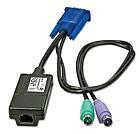
Computers or servers can be connected to the 32 host ports on the rear panel via Cat5e/6 cables ad distances of up to 100m using USB+VGA (39634) or PS/2+VGA (39633) dedicated KVM modules (not included).
*Hot plug is supported only if the OS of the connected PC supports this function
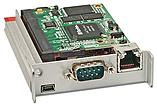
Simply install this IP Module in to the expansion port of our KVM Switch CAT-32 IP to access your KVM Switch CAT-32 IP in your offices or at any of your customers offices worldwide via IP or the Internet. Once installed the KVM switch may be accessed either through the integrated 10/100Base-T port via LAN or via the integrated serial interface via modem for dial connections.
KVM over IP remote access to the KVM over IP Extender can be accessed via VNC using a VNC client, please see the Web for VNC clients
Remote control through VNC software
 |
 |
