


We use third party services that help us to improve and optimize our online experience. For the use of certain services we need your prior consent which can be revoked at any time. You can find further information on data protection in our privacy policy
Details
In order to optimise our website, we use services that collect and aggregate data and make it available to us as a statistical overview.
You are here: » Homepage
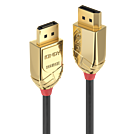
Lindy Fibre Optic Hybrid DisplayPort cables are an all-in-one advanced solution which provide transmission distances that far exceed the maximum supported by standard copper only cables.
Perfect for professional and home cinema environments these cables feature active fibre optic technology integrated into the DisplayPort connectors to allow signal transmission from a source to display over the longest possible distances.
Support for resolutions up to Ultra HD 4096x2160@60Hz 4:4:4 10bit makes these cables suitable for use with advanced DisplayPort enabled sources and displays.
The slimline copper and fibre hybrid construction allows easy installation into recessed, tight spaces. Advanced EMI & RF resistance makes these cables ideal for use in electronically sensitive environments.
Please Note: The cable can only be used in one direction. The connector labelled “source” must be connected to a source device. The connector labelled “display” must be connected to a projector or display.
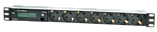
Power socket board for 19 inch systems for monitoring electrical devices via a TCP/IP network. The IPowerMeter measures current, phase angle, power factor (cos phi), frequency, active-, apparent- and reactive power and indicates the consumed energy in two independent meters. All of the readings are indicated on the device itself and can be accessed via TCP/IP network.

Power socket board for 19 inch systems for monitoring electrical devices via a TCP/IP network. The IPowerMeter measures current, phase angle, power factor (cos phi), frequency, active-, apparent- and reactive power and indicates the consumed energy in two independent meters. All of the readings are indicated on the device itself and can be accessed via TCP/IP network.
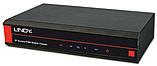
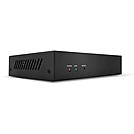
HDMI® over Powerline extenders provide a useful solution for extending HDMI® content to one or more displays within one electrical circuit.
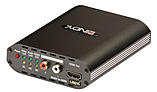
The Lindy HDMI® over Powerline Transmitter is one part of a high-quality solution for extending HDMI® content from a source device to a display using a single electrical power circuit. Combined with the compatible receiver unit, this extender provides simple, hassle-free content distribution within small office, store front or residential setups.
Supporting resolutions up to 1920x1080@60Hz ensuring excellent Full HD quality for the user. This device is ideal for sharing video and audio content into bedrooms, home offices or small-scale digital signage using pre-existing electrical wiring.
An HDMI® loop-out allows for connection of a local HDMI display, while connection to 3 compatible receivers allows for larger scale distribution to multiple displays. A 3.5mm IR connection also allows for simple control from the display side of the setup.
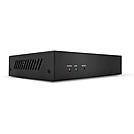
HDMI over Powerline extenders provide a useful solution for extending HDMI content to one or more displays within one electrical circuit.
The Lindy HDMI over Powerline Receiver is one part of a high-quality solution for extending HDMI content from a source device to a display using a single electrical power circuit. Combined with the compatible transmitter unit, this extender provides simple, hassle-free content distribution within small office, store front or residential setups.
Supporting resolutions up to 1920x1080@60Hz ensuring excellent Full HD quality for the user. This device is ideal for sharing video and audio content into bedrooms, home offices or small-scale digital signage using pre-existing electrical wiring.
Up to 3 compatible receivers can be connected to a single transmitter allowing for larger scale distribution to multiple displays. A 3.5mm IR connection also allows for simple control from the display side of the setup.
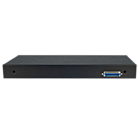
A KVM switch allows an operator to conveniently control and manage multiple devices, such as PCs and servers, from a single keyboard, mouse and display console.
The Lindy Combo KVM Switch is a hardware solution that allows direct control of multiple computers using a single keyboard, mouse and VGA monitor. It's ideal for system administrators who want to control multiple computers or servers from a single, centralised location.
The switch is designed to be easily installed into the back of our range of Modular LCD KVM Consoles to add multiple server/computer control, and is based on our Combo KVM switch. It supports screen resolutions of up to 1920x1200, great for ensuring optimum clarity if used in digital media or graphic design scenarios. It provides 2 simple switching modes, via keyboard hotkeys and On-Screen Display; setup and management options can be access only via the OSD.
The Lindy LCD KVM Console can be connected to a dedicated port on the front of the unit while a Daisy Chain VGA port can be used to connect up to 8 Lindy Combo series switches in order to manage to up to 128 multi platform computers with security features and password access, perfect for large-scale control systems in transport hubs or surveillance centres. All the functions are accessible from the administrator through a simple to use On-Screen Display.
PCs & connected KVM switches can be remove easily with hot plug support, allowing for maintenance to take place without the need for powering down all connected devices, essential within "always on" environments such as data centres or traffic management setups.
Computers or servers can be connected to the 8 host ports on the rear panel via dedicated KVM cables (not included).
These are available in different lengths and connections:
VGA & USB & USB - PS/2
1m 33770
2m 33771 33774
3m 33772
5m 33773
Please Note: this switch can be used ONLY in combination with Lindy LCD KVM Consoles "Classic" & "Pro" series. The stand alone version is 8 Port VGA & USB Combo KVM Switch (39523) or 16 Port VGA & USB Combo KVM Switch (39524)
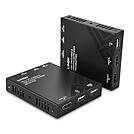
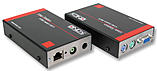
The Lindy 120m Cat.6 HDMI® & USB KVM Extender is a complete end to end reliable solution to control a source device such as a PC from a single keyboard, mouse and display over long distances via Cat.6 network cable.
Supporting resolutions up to Full HD 1920x1080, ideal for high-performance KVM applications and also for creating eye-catching digital signage in retail or engaging setups in larger conference rooms or lectures halls.
PoC (Power over Cable) functionality provides additional flexibility. This allows power to be supplied alongside data through Cat.6 network cable in a point-to-point connection between the transmitter and receiver, meaning only a single power supply is required at the transmitter unit. Ideal when power outlets are limited at the receiver end of the installation.
USB ports allow for a mouse and keyboard to be connected to the receiver to control a USB source device such as a PC or laptop. The extender features an HDMI® loop-through output on the transmitter which allows for simultaneous viewing using both the local and remote displays. This versatility provides a suitable solution for use in various scenarios such as educational presentation systems, home cinema, entertainment systems, or trade shows.
Please note: This product is not designed to be used in conjunction with active network equipment and must only be used in a point to point connection.
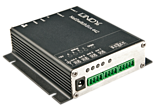
The NetSwitchBox 442 provides 4 potential-free switching outputs, 4 passive inputs, and 2 sensor inputs which allow for the switching of small signals (up to 24V), the interrogation and visualisation of passive contacts (e.g. door contacts), as well as the interrogation of two temperature- and/or temperature/moisture sensors. The data are requested and visualised on a Web site generated by the device. The data can be evaluated via SNMP or Syslog.
Power adapter not included in delivery. Suitable power adapter: LINDY - Art.No. 73803

When ordering this upgrade from KVM Extender No. 39221 to No. 39222, please specifiy the individual number found in the OSD of your device. The upgrade file applies solely to this individual device.
If you need upgrades for several devices, please specify the quantity and the individual numbers.
A description of the upgrade process can be found in the manual for No. 39221
 |
 |
