
We use third party services that help us to improve and optimize our online experience. For the use of certain services we need your prior consent which can be revoked at any time. You can find further information on data protection in our privacy policy
Details
In order to optimise our website, we use services that collect and aggregate data and make it available to us as a statistical overview.
You are here: » Homepage
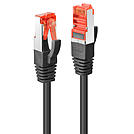
Cat.6 S/FTP network cable with support for bandwidth up to 250MHz and features a snagless design with gold plated contacts for ethernet standards up to 1GBase-T.
Cat.6 cable for operating frequencies up to 250MHz in shielded version with braid as overall shield and foil shield for the individual wire pairs (S/FTP). Cat.6 cables are widespread throughout the professional sector. They are ideal for Gigabit Ethernet or AV extension applications. These cables are manufactured and tested according to the ISO/IEC 11801 specification. The cables are packaged individually in a polybag.
The gold-plated contacts ensure reliable, corrosion-free connections over extensive periods of time. A robust snagless strain relief design prevents damage to the connector latch during installation and removal.
The TPE used as a sheath material provides increased flexibility and easy handling of cables.
Available lengths: 0.3m, 0.5m, 1m, 1.5m, 2m, 3m, 5m, 7.5m, 10m, 15m, 20m, 30m.
Cat.6 S/FTP network cable with support for bandwidth up to 250MHz and features a snagless design with gold plated contacts for ethernet standards up to 1GBase-T.
Cat.6 cable for operating frequencies up to 250MHz in shielded version with braid as overall shield and foil shield for the individual wire pairs (S/FTP). Cat.6 cables are widespread throughout the professional sector. They are ideal for Gigabit Ethernet or AV extension applications. These cables are manufactured and tested according to the ISO/IEC 11801 specification. The cables are packaged individually in a polybag.
The gold-plated contacts ensure reliable, corrosion-free connections over extensive periods of time. A robust snagless strain relief design prevents damage to the connector latch during installation and removal.
The TPE used as a sheath material provides increased flexibility and easy handling of cables.
Available lengths: 0.3m, 0.5m, 1m, 1.5m, 2m, 3m, 5m, 7.5m, 10m, 15m, 20m, 30m.
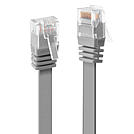
Cat.6 U/UTP flat network cable with support for bandwidth up to 250MHz and features a snagless design with gold plated contacts for ethernet standards up to 1GBase-T.
Cat.6 cable for operating frequencies up to 250MHz. The unshielded version (U/UTP) can be used for Gigabit Ethernet thanks to the special design of the electrophysical parameter (NExT, FExT, etc.) despite the lack of shielding. Designed as flat ribbon cable for use in environments with restricted or limited installation space. These cables are manufactured and tested according to the ISO/IEC 11801 specification. The cables are packaged individually in a polybag.
The gold-plated contacts ensure reliable, corrosion-free connections over extensive periods of time. A robust snagless strain relief design prevents damage to the connector latch during installation and removal.
The very fleixible and thin ribbon cable construction allows the cables to be installed in restricted or limited spaces.
Available lengths: 0.3m, 1m, 2m, 3m, 5m, 10m.
Available colours: Black, Grey, White, Red.
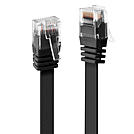
Cat.6 U/UTP flat network cable with support for bandwidth up to 250MHz and features a snagless design with gold plated contacts for ethernet standards up to 1GBase-T.
Cat.6 cable for operating frequencies up to 250MHz. The unshielded version (U/UTP) can be used for Gigabit Ethernet thanks to the special design of the electrophysical parameter (NExT, FExT, etc.) despite the lack of shielding. Designed as flat ribbon cable for use in environments with restricted or limited installation space. These cables are manufactured and tested according to the ISO/IEC 11801 specification. The cables are packaged individually in a polybag.
The gold-plated contacts ensure reliable, corrosion-free connections over extensive periods of time. A robust snagless strain relief design prevents damage to the connector latch during installation and removal.
The very fleixible and thin ribbon cable construction allows the cables to be installed in restricted or limited spaces.
Available lengths: 0.3m, 1m, 2m, 3m, 5m, 10m.
Available colours: Black, Grey, White, Red.
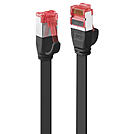
Cat.6 U/FTP flat network cable with support for bandwidth up to 250MHz and features a snagless design with gold plated contacts for ethernet standards up to 1GBase-T.
Cat.6 cable for operating frequencies up to 250MHz using the shielded version with foil shielded single pair shielding (U/FTP). Designed as flat ribbon cable for use in environments with restricted or limited installation space. Suitable for use in Gigabit Ethernet networks. These cables are manufactured and tested according to the ISO/IEC 11801 specification. The cables are packaged individually in a polybag.
The gold-plated contacts ensure reliable, corrosion-free connections over extensive periods of time. A robust snagless strain relief design prevents damage to the connector latch during installation and removal.
The very flexible and thin ribbon cable construction allows the cables to be installed in restricted or limited spaces.
Available lengths: 0.3m, 1m, 2m, 3m, 5m, 10m.
Available colours: Black, Grey, White.
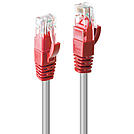
Cat.6 S/FTP network cable with support for bandwidth up to 250MHz and features a snagless design with gold plated contacts for ethernet standards up to 1GBase-T.
Cat.6 cable for operating frequencies up to 250MHz in shielded version with braid as overall shield and foil shield for the individual wire pairs (S/FTP). Cat.6 cables are widespread throughout the professional sector. They are ideal for Gigabit Ethernet or AV extension applications. These cables are manufactured and tested according to the ISO/IEC 11801 specification. The cables are packaged individually in a polybag.
The gold-plated contacts ensure reliable, corrosion-free connections over extensive periods of time. A robust snagless strain relief design prevents damage to the connector latch during installation and removal.
These cables feature a crossover connection allowing two devices of the same type (PC_s, network switches) to connect to each other. Intentionally crossed wiring in the cable connects the transmission signals at one end of the cable to the receiving end.
Available lengths: 0.3m, 0.5m, 1m, 2m, 3m, 5m, 7.5m, 10m, 15m, 20m, 30m.
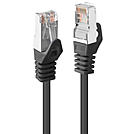
Cat.5e F/UTP PVC network cable with support for bandwidth up to 100MHz and features a snagless design with gold plated contacts for ethernet standards up to 1GBase-T.
Cat.5e cable, designed for operating frequencies up to 100MHz. With its overall shielding (F/UTP) in the form of a foil, this type of cable has been used reliably for decades in many installations in the prosumer sector as well as in the professional segment, since it can easily be used for Gigabit Ethernet. These cables are manufactured and tested according to the ISO/IEC 11801 specification. The cables are packaged individually in a polybag.
The gold-plated contacts ensure reliable, corrosion-free connections over extensive periods of time. A robust snagless strain relief design prevents damage to the connector latch during installation and removal.
Available lengths: 0.5m, 1m, 2m, 3m, 5m, 10m.
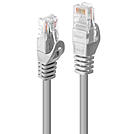
Cat.5e U/UTP PVC network cable with support for bandwidth up to 100MHz and features a snagless design with gold plated contacts for ethernet standards up to 1GBase-T.
Cat.5e cable, designed for operating frequencies up to 100MHz. The unshielded version (U/UTP) is designed in its electrophysical parameters (NExT, FExT etc.) in such a way that it can be used for Gigabit Ethernet despite the lack of shielding. These cables are manufactured and tested according to the ISO/IEC 11801 specification. The cables are packaged individually in a polybag.
The gold-plated contacts ensure reliable, corrosion-free connections over extensive periods of time. A robust snagless strain relief design prevents damage to the connector latch during installation and removal.
The high frequencies used in network technology cause a high current load in the outer layers of the conductors due to the skin effect , while the conductor cores are only subjected to very low electrical loads. This allows the use of copper clad aluminium (CCA) conductor material, making this cable more cost-effective than pure copper cables.
Available lengths: 0.5m, 1m, 2m, 3m, 5m, 10m.
\n \r\n
\n
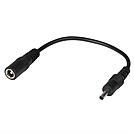
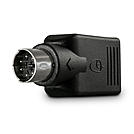
This adapter cable adapts a USB power supply with large 5 Volt power adapter to almost any other USB Hub, card reader, and other devices that use the small 5V power adapter. Provides max. 0.9A/5V power.
 |
 |