


We use third party services that help us to improve and optimize our online experience. For the use of certain services we need your prior consent which can be revoked at any time. You can find further information on data protection in our privacy policy
Details
In order to optimise our website, we use services that collect and aggregate data and make it available to us as a statistical overview.
You are here: » Homepage
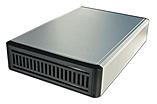
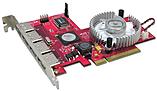
PCIe card with 4 eSATA-II connections Supports data rates of up to 3 Gbit/s., NCQ, Port Multiplier, RAID5 and JBOD.
This PCIe Host Adapter can be used to extend a PC with 4 external SATA-II interfaces. The external connection is the new eSATA connection used under SATA II. This is not compatible with the internal/external cables used under SATA 1.0a!
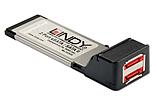
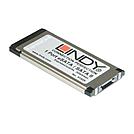
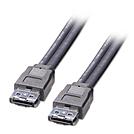
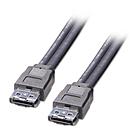
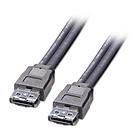
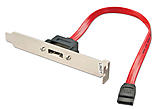
This adapter makes it possible to use an internal SATA port externally via the slotted panel
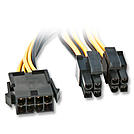
This 8-pin power extension cable is needed on modern EPS, ATX and BTX mainboards for supplying power to the processor. In contrast to the older, 4-pin ATX12V Mainboard- and power supply connections, this connection has double the width, 2x 4-pin. The connector can be split into two 4-pin connectors on the mainboard side, from which one of them also fits the older mainboards. Even only a 4-pin connector can be inserted onto the other 8-pin side individually, the other 4 pins then do not receive any current. Please read the instructions provided by the mainboard manufacturer.
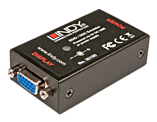
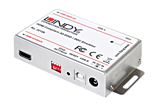
This emulator is designed for systems that require EDID/DDC signals to be continuously provided without interruption. Some computer systems, KVM switches and digital video signage systems may interrupt the data, or may not be able to pass this information directly back to the video card. This simple solution will clone the connected monitor's EDID/DDC and emulate them without interruption.
Saved default standard resolutions for use when cloning the monitor data is not possible.
Supported Resolutions: 480i, 480p, 576p, 720p, 1360x768, 1366x768, 1080i, 1080p & 4K
Supported Audio Channels: 2 & 8 Channel
Supported Audio Formats: LPCM, AC-3, DTS, SACD, DTS-HD & WMA Pro
 |
 |
