


We use third party services that help us to improve and optimize our online experience. For the use of certain services we need your prior consent which can be revoked at any time. You can find further information on data protection in our privacy policy
Details
In order to optimise our website, we use services that collect and aggregate data and make it available to us as a statistical overview.
You are here: » Homepage
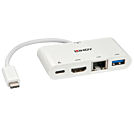
The Lindy USB 3.1 Type C Laptop Mini Dock is a compact and multifunctional solution for connecting Laptops to a range of interfaces including a display, all over a single Type C cable.
Featuring all the interfaces needed for a standard workstation, this Mini Dock uses a single USB 3.1 Type C cable to connect to a Notebook to simultaneously provide display, power, Gigabit Ethernet and a USB 3.0 SuperSpeed port.
The Mini Dock enables the connection of a monitor to a compatible notebook via HDMI by using DisplayPort alternate mode through the USB Type C port. Resolutions up to Ultra HD 4K 30Hz are supported.
With support for USB Power Delivery (100W) the Mini Dock is also able to provide power to a compatible Notebook via its Type C port.
The Dock’s integrated USB 3.0 port provides up to 5Gbps of data transfer. Perfect for your Type A peripherals such as a hard drive, printer or webcam.
Information about USB 3.0, 3.1 & 3.2
USB 3.0, USB 3.1 and USB 3.2 PCs, cables and devices are all compatible with each other, when using either a USB Type A or USB Type C host interface.
USB 3.0, USB 3.1 Gen 1 and USB 3.2 Gen 1 all support data transfer rates up to 5 Gbps.
USB 3.1 Gen 2 and USB 3.2 Gen 2 both support data transfer rates up to 10 Gbps.
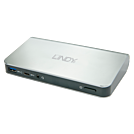
The Lindy USB 3.1 Notebook Docking Station is a compact and multifunctional solution for connecting Notebooks to a range of interfaces including dual displays, using a single cable.
Featuring all the interfaces needed for a standard workstation, the Lindy USB 3.1 Type C Docking Station uses a single cable to connect to a Notebook to simultaneously provide dual monitor capabilities, power, gigabit ethernet, audio and a USB 3.1 SuperSpeed hub.
Using DisplayPort Alternate Mode via its USB Type C port the Docking Station enables the connection of two monitors to a compatible notebook via HDMI and/or DisplayPort. For added convenience DisplayPort to HDMI adapters are supported to allow the connection of identical HDMI monitors. When using a single monitor resolutions up to Ultra HD 4K 30Hz can be displayed on either interface, alternatively when using a dual monitor set up the maximum resolution is 1920x1200p 60Hz.
With support for USB Power Delivery (60W) the Docking Station is also able to provide power to a compatible Notebook via its Type C port.
The Docking Station features an integrated USB 3.1 SuperSpeed hub that provides two rear facing Type A ports and forward facing Type A and Type C ports. The front facing Type C port can be used for data transfer; there is no support for Power Delivery or Alternate mode, whilst the Type A port supports the USB Battery Charging Specification 1.2 for charging mobile devices.
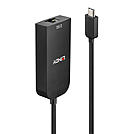
Type C to Ethernet Converters allow users to connect USB Type C equipped devices to a Gigabit Ethernet network.
The Lindy USB 3.1 Type C to 2.5G Ethernet Converter is perfect for users looking to connect a computer, notebook or tablet to a Gigabit Ethernet network via a Type C USB port. It supports extremely high data rates up to 2.5Gbps* on existing Cat.5e/6 cabling infrastructure.
This Converter is ideal for ultrabooks or tablets which do not feature wired network connectivity. With its small size and lightweight design this USB 3.1 to 2.5G Ethernet Converter is easy and convenient to carry, and because it is powered by the USB Bus no power adapter is required. It is compatible with Thunderbolt 3 ports to cover a wide range of devices.
* please make sure that the connected switch supports 2.5GBASE-T (IEEE 802.3bz)
Information about USB 3.0, 3.1 & 3.2
USB 3.0, USB 3.1 and USB 3.2 PCs, cables and devices are all compatible with each other, when using either a USB Type A or USB Type C host interface.
USB 3.0, USB 3.1 Gen 1 and USB 3.2 Gen 1 all support data transfer rates up to 5 Gbps.
USB 3.1 Gen 2 and USB 3.2 Gen 2 both support data transfer rates up to 10 Gbps.
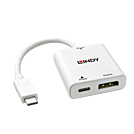
The Lindy USB 3.1 Type C to DisplayPort Converter allows users to easily add external video capabilities to a computer featuring the USB 3.1 Type C port with support for DisplayPort Alternate Mode. USB Power Delivery of up to 60W provides power to a notebook or ultrabook via it's USB Type C port whilst simultaneously using it as a video output, simply connect a compatible USB power supply to the DisplayPort Converter.
With support for 4K UHD resolutions, content can be viewed with superior clarity and stunning accuracy, while the Type C connectors reversible design means a connection can be found regardless of which way the cable is inserted into the port of a laptop, notebook or Macbook. With Plug and Play installation, this converter can be installed with minimum fuss, perfect for both professional and first time users.
Please note:
Any interruption of the power supply will cause the USB bus to reset. This is a technical limitation of USB PD 2.0.
Information about USB 3.0, 3.1 & 3.2
USB 3.0, USB 3.1 and USB 3.2 PCs, cables and devices are all compatible with each other, when using either a USB Type A or USB Type C host interface.
USB 3.0, USB 3.1 Gen 1 and USB 3.2 Gen 1 all support data transfer rates up to 5 Gbps.
USB 3.1 Gen 2 and USB 3.2 Gen 2 both support data transfer rates up to 10 Gbps.
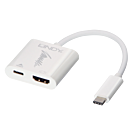
The Lindy USB 3.1 Type C to HDMI Converter allows users to easily add external video capabilities to your computer featuring the USB 3.1 Type C port with support for DisplayPort Alternate Mode. USB Power Delivery of up to 60W provides power to a notebook or ultrabook via it's USB Type C port whilst simultaneously using it as a video output, simply connect a compatible USB power supply to the HDMI Converter.
With support for 4K UltraHD resolutions, content can be viewed with superior clarity and stunning accuracy, while Type-C's reversible design has been developed to work regardless of which way the cable is inserted into the port of a laptop, notebook or Macbook.
With Plug and Play installation, this converter can be installed with minimum fuss, perfect for both professional and first time users.
Please note:
Any interruption of the power supply will cause the USB bus to reset. This is a technical limitation of USB PD 2.0.
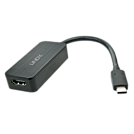
The Lindy USB 3.1 Type C to HDMI Converter allows users to easily add external video capabilities to a computer featuring the USB 3.1 Type C port with support for DisplayPort Alternate Mode. The converter is powered by the USB Bus, therefore no external power supply is needed, saving space and time when connecting.
With support for 4K UHD resolutions, content can be viewed with superior clarity and stunning accuracy, while the Type C connectors reversible design means a connection can be found regardless of which way the cable is inserted into the port of a laptop, notebook or Macbook.
With Plug and Play installation, this converter can be installed with minimum fuss, perfect for both professional and first time users.
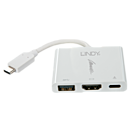
The Lindy USB 3.1 Type C to HDMI, USB & Power Delivery Converter allows users to maximise the functionality of a single USB 3.1 Type C port by connecting and simultaneously using an HDMI display and USB 3.1/3.0 SuperSpeed peripheral as well as a USB Type C power supply to your MacBook, ultrabook or notebook. The only requirement is that the computer supports the DisplayPort Alternate Mode.
With support for resolutions up to 3840x2160p 30Hz, the converter is ideal for use by designers and video editors. Installation is simple as no drivers are required, while Type-C's reversible design has been developed to work regardless of which way the cable is inserted into the port.
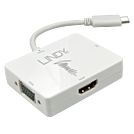
The Lindy USB 3.1 Type C to Triple Display Converter allows users to connect either an HDMI, DVI or VGA screen to a Macbook, ultrabook or notebook with USB 3.1 DisplayPort Alternate Mode. With its lightweight, low profile design, the adapter easily fits into a notebook bag and simply expands any available connectivity options, so users can connect to the most commonly used digital and analogue video equipment, without having to carry multiple adapters - ideal for BYOD applications.
The converter is powered by the USB Bus, therefore no external power supply is needed. Installation is simple as no drivers are required and Type-C's reversible design has been developed to work regardless of which way the cable is inserted into the port.
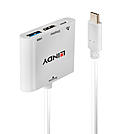
The Lindy USB 3.1 Type C to HDMI, USB & Power Delivery Converter allows users to maximise the functionality of a single USB 3.1 Type C port by connecting and simultaneously using an HDMI display and USB 3.1/3.0 SuperSpeed peripheral as well as a USB Type C power supply to your MacBook, ultrabook or notebook. The only requirement is that the computer supports the DisplayPort Alternate Mode.
With support for resolutions up to 3840x2160p 30Hz, the converter is ideal for use by designers and video editors. Installation is simple as no drivers are required, while Type-C's reversible design has been developed to work regardless of which way the cable is inserted into the port.
Please note:
Any interruption of the power supply will cause the USB bus to reset. This is a technical limitation of USB PD 2.0.
Information about USB 3.0, 3.1 & 3.2
USB 3.0, USB 3.1 and USB 3.2 PCs, cables and devices are all compatible with each other, when using either a USB Type A or USB Type C host interface.
USB 3.0, USB 3.1 Gen 1 and USB 3.2 Gen 1 all support data transfer rates up to 5 Gbps.
USB 3.1 Gen 2 and USB 3.2 Gen 2 both support data transfer rates up to 10 Gbps.
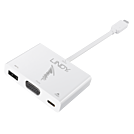
The Lindy USB 3.1 Type C to VGA, USB & Power Delivery Converter allows users to maximise the functionality of a single USB 3.1 Type C port by connecting and simultaneously using a VGA display and USB 3.1/3.0 SuperSpeed peripheral as well as a USB Type C power supply to a MacBook, ultrabook or notebook. The only requirement is that the computer supports the DisplayPort Alternate Mode.
With support for resolutions up to 1920x1200p 60Hz, the converter is ideal for use by designers and video editors. Installation is simple as no drivers are required and the Type-C's reversible design has been developed to work regardless of which way the cable is inserted into the port.
Please note: Any interruption of the power supply will cause the USB bus to reset. This is technical limitation of USB PD 2.0. |
Information about USB 3.0, 3.1 & 3.2
USB 3.0, USB 3.1 and USB 3.2 PCs, cables and devices are all compatible with each other, when using either a USB Type A or USB Type C host interface.
USB 3.0, USB 3.1 Gen 1 and USB 3.2 Gen 1 all support data transfer rates up to 5 Gbps.
USB 3.1 Gen 2 and USB 3.2 Gen 2 both support data transfer rates up to 10 Gbps.
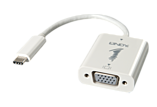
The LINDY USB 3.1 Type-C to VGA Adapter Convertor allows you to quicky add external video capabilities to devices featuring the USB 3.1 Type-C port with support for DisplayPort Alternate Mode.
Installation is simple as no drivers are required and the Type-C's reversible design means that you do not have to pay attention to which way the cable is inserted into the port.
Discover more with Lindy's guide to USB 3.1 Type C
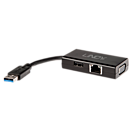
You can now display Full HD 1080p video and graphics on your TV, Monitor or Projector via your computer's USB 3.1 / 3.0 SuperSpeed port making this adapter perfect for Notebooks and Ultrabooks.
Ethernet also allows connection to your network whilst the USB 2.0 port provides quick and easy access for your peripherals.
The small footprint makes it ideal for people who are on the move, while the wide array of ports provide common connections to much used devices.
Please Note: This USB 3.0 to VGA Adapter works with Intel Core i5/7 series 3rd generation onwards as well as AMD processors, if the USB 3.0 controller is integrated. Before installing 43182 please make sure that no DisplayLink or MCT drivers are installed.
Package Contents:
1x USB 3.1 Mini VGA Docking Station
LINDY Quick Guide
Discover more with Lindy's guide to USB 3.1 Type C
 |
 |
