
We use third party services that help us to improve and optimize our online experience. For the use of certain services we need your prior consent which can be revoked at any time. You can find further information on data protection in our privacy policy
Details
In order to optimise our website, we use services that collect and aggregate data and make it available to us as a statistical overview.
You are here: » Homepage
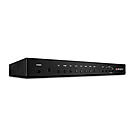
Featuring 8 AV inputs which can be converted and scaled to resolutions up to Full HD 1080p this AV Conversion Switch is an ideal addition to any meeting or conference room, lecture hall or auditorium. Any of the available inputs (3 x HDMI, 3 x VGA & Audio, Component Video & Audio and Composite Video & Audio) can be simultaneously shown across display equipment connected to each of the outputs (2 x HDMI and VGA). These three outputs provide compatibility with both current and legacy AV displays and can be combined with Lindy HDMI or VGA extenders to reach remotely loCat.ed displays.
In addition to its video capabilities the AV Conversion Switch also features Digital to Analogue and Analogue to Digital conversion and can also embed analogue audio to HDMI video signals. With simultaneous audio output via 3.5mm stereo socket and Coaxial SPDIF the Switch can be directly connected to almost any AV Receiver in the market, whilst for further flexibility one of the HDMI outputs can also be used for audio.
The Switch features remote configuration and control via RS-232, Telnet and Web GUI as well as locally by OSD and IR making it simple to integrate within automated installations.
\n \r\n
\n\n
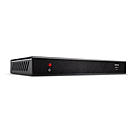
\n\n The Lindy C6 HDBaseT HDMI 4K60 & IR Extender, Receiver is one part of a high performance solution for extending HDMI signals over long distances via Cat.6 network cable. By combining this receiver unit with a compatible Lindy HDBaseT transmitter, splitter or matrix, this solution ensures reliable transmission up to 150m.\n
\n\n
\n\n The following distance and resolution combinations are possible when using high quality Cat.6 U/UTP or F/UTP cable:\n
\n\n
\n\n 150m (492.12ft) - 1280x720@60Hz via Long Reach Mode\n
\n\n
\n\n 100m (328.08ft) - 3840x2160@30Hz 4:4:4 8bit\n
\n\n
\n\n 70m (229.66ft) - 3840x2160@60Hz 4:4:4 8bit\n
\n\n
\n\n Supporting resolutions up to 4K UHD 3840x2160@60Hz, video can be viewed in stunning clarity, while additional support for HDR (High Dynamic Range) allows content to be displayed with enhanced brightness, greater contrasts of blacks and whites and a much wider colour gamut. This provides a reliable solution for creating eye-catching digital signage in retail, immersive displays at events or engaging setups in larger conference rooms or lectures halls. Analogue audio can be easily extracted via 3.5mm port for connecting speakers or amplifiers, to provide dual channel immersive audio to compliment the video content.\n
\n\n
\n\n PoC (Power over Cable) functionality provides additional flexibility. This allows power to be supplied alongside data through Cat.6 network cable in a point to point connection between the transmitter and receiver, meaning only a single power supply is required at the transmitter unit. Ideal when power outlets are limited at the receiver end of the installation.\n
\n\n
\n\n Featuring bi-directional IR ports at both sides of the setup, the source equipment can be easily controlled from the display side, and the display can also be controlled from the HDMI source side. Combined with CEC control, which allows commands from one main remote, this extension system allows for complete and simple control for the user.\n
\n\n Terminal blocks allows for pass-through of RS-232 commands when integrated into control systems.\n
\n\n
\n\n HDBaset is a globally recognised standard for high quality distribution of AV content and other technologies, including power and control, over longer distances via low cost Cat.6 or above cable.\n
\n\n
\n\n HDBaseT_ and the HDBaseT Alliance logo are trademarks of the HDBaseT Alliance.\n
\n\n
\n\n Please Note: Due to the methods of compression with this product, it is recommended this item is only used for a point to point connection with 38206.\n
"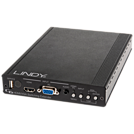
Using HDBaseT(TM) Technology the LINDY C6 HDMI & VGA Switching Extender Transmitter allows you to send HDMI or VGA with Analogue Audio, Ethernet, RS-232, and IR signals up to 100m using a single high quality Cat.6/Cat.7 RJ45 cable to an HDBaseT Receiver or Display/Projector with integrated HDBaseT technology.
Switching between the HDMI and VGA inputs is quick and easy and can be completed by push button, IR remote control, RS-232 command or auto-switching, perfect for integration in to a meeting room, classroom or control centre.
For added convenience and to enable discreet installation of a Receiver unit the Transmitter supports 24V PoH (Power over HDBaseT) allowing a single power supply to be used with the Transmitter to power both units. For best results and especially longer distances, we recommend using solid core/structured cabling.
The integrated video scaler provides complete control over the output video resolution; allowing resolutions from 640x480 (VGA) to 1920x1200 (WUXGA), including 1080p, to be used. In addition the scaler function also allows you to control the Contrast, Brightness, Hue, Saturation and Sharpness of the output image to ensure the best possible picture quality.
HDBaseT™ and the HDBaseT Alliance logo are trademarks of the HDBaseT Alliance.
Package Contents:
C6 HDMI & VGA Switching Extender Transmitter
24V Power Adapter
C13 Mains Power Cable
IR Extender Cable 1.4m x 2
IR Remote Control
This User Manual
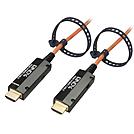
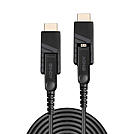
Lindy_s range of Fibre Optic Hybrid Micro-HDMI® 4K60 cables with detachable connectors are the professional solution for extending Micro-HDMI®, HDMI® & DVI signals over longer distances, with no requirement for additional adapters. Combining the flexibility and high EMI & RFI resistance of fibre optic cable with standard copper cabling, these hybrid cables are ideal for use in critical AV setups or commercial installations.
Supplied as a thin cable with a premium metal, narrow Micro-HDMI connector, this can be installed easily through conduit and other small spaces with no damage caused to the internal cable structure, while the detachable HDMI® and DVI connectors can be added at the ends of the installation for connection to an even wider variety of displays and devices such as TVs, PCs or digital signage. This innovative design allows for a much wider range of connectivity solutions that can be customized freely by the user, including HDMI® to DVI, HDMI® to HDMI® or DVI to a DVI display.
Supporting all the premium features that come with the 2.0 18G specification, these cables can deliver resolutions up to 4K at 60Hz, perfect for ensuring the best possible image quality in attention grabbing retail displays, immersive AV installations at events or a premium residential setup. HDR support ensures a much wider colour gamut, greater contrasts and an enhanced brightness to provide eye catching content even in outdoor or brightly lit scenarios. Multi-channel audio support including Dolby True HD and Dolby Atmos, also provides a more encompassing audio experience for the listener, complimenting the high quality video on display.
ARC function is supported up to 50m only if used with HDMI® compliant devices.
The terms HDMI, HDMI High-Definition Multimedia Interface, HDMI Trade dress and the HDMI Logos are trademarks or registered trademarks of HDMI Licensing Administrator, Inc.
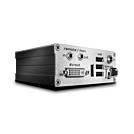
Please note: This product must be ordered in conjunction with article 39240.
Extends DVI-D and USB signals using a single duplex LC OM3 cable DVI-D Single Link compatible
The Lindy Fibre Optic DVI-D Single Link KVM Extender delivers DVI-D single link signals with resolutions up to 1920x1200 without any loss in quality over distances up to 500m using a standard duplex LC OM3 cable, or up to 20km using a single mode fibre module. In addition, it supports the transmission of USB HID signals for mice and keyboards and USB 2.0 signals for USB touchscreens, hubs and other asynchronous devices. For added convenience the Transmitter features a local video output port so that a monitor can be connected next to the host computer.
In addition to its standard functions the KVM Extender may also have the following features enabled via chargeable unlock codes:
Technical Notes
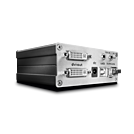
The Lindy 500m Fibre Optic DVI-D Single Link KVM extender delivers DVI-D single link signals with resolutions up to 1920x1200 without any loss in quality over distances up to 500m using a standard duplex LC OM3 cable, or up to 20km using a single mode fibre module. In addition, the Extender supports the transmission of USB HID signals for mice and keyboards and USB 2.0 signals for USB touchscreens, hubs and other asynchronous devices. For added convenience the Transmitter features a local video output port so that a monitor can be connected next to the host computer.
In addition to its standard functions the KVM Extender may also have the following features enabled via chargeable unlock codes:
Technical Notes
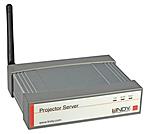
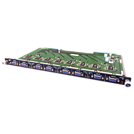
Thank you for purchasing from the LINDY Modular Matrix range of products.
This range of products is designed to allow you to create a matrix with 8, 16 or 32 input and output ports.
The input ports can be a choice of HDMI, DVI or VGA while the output ports can be HDMI, DVI or C6 HDBaseT. Any of the inputs can be combined with any of the outputs to create a UHD 4Kx2K@60Hz 8 bit 4:2:0 display over distances of up to 100m.
The modular design provides the ultimate in flexibility for audio and video distribution as a matrix, convertor or an extender in retail product demonstration, training and public display application in schools, pubs etc.
The 8 Port 4K HDMI Input Modular Board is designed for use with 38250, 38251, 38252 Chassis systems and 38253, 38254, 38255, 38256 & 38259 range of modular boards.
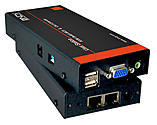
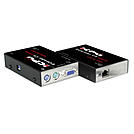
This user station sends KVM- and audio signals via Cat 5 RJ45 cables. It is used either on a Cat.5 KVM switch MC5/-IP as a user station or as an independent KVM extender with a matching Cat.5 KVM computer module.
A KVM switch is integrated in the user station to alternately access two Cat. 5 outputs. For example, these two outputs can be used to access a KVM switch MC5 up to 300m away, on the other port a local or remote terminal can be accessed (also connected via a Cat. 5 cable and Cat 5 module) or to an additional KVM switch MC5.
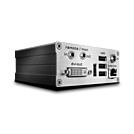
This KVM extender delivers DVI-D single link signals with resolutions up to 1920x1200 without any loss in quality over distances up to 130m using a standard Cat.6 cable, or up to 200m via a dedicated gigabit Ethernet switch. In addition, it supports the transmission of USB HID signals for mice, keyboards and USB touchscreens. For added convenience the Transmitter features a local video output port so that a monitor can be connected next to the host computer.
In addition to its standard functions the KVM Extender may also have the following features enabled via chargeable unlock codes:
Technical Notes
 |
 |