
We use third party services that help us to improve and optimize our online experience. For the use of certain services we need your prior consent which can be revoked at any time. You can find further information on data protection in our privacy policy
Details
In order to optimise our website, we use services that collect and aggregate data and make it available to us as a statistical overview.
You are here: » Homepage
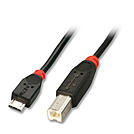
This high-quality LINDY USB 2.0 cable is fully-compatible with USB 2.0 specifications and is backwards-compatible with previous standards. It supports all data transfer rates up to 480 MBit/sec.
Important! Manufacturers use different interfaces on their products. Make sure your device has the standard USB connections
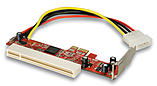
This adapter card allows you to connect a PCI plug-in card to a PCIe slot
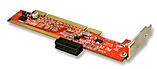
This adapter card allows you to connect a PCIe plug-in card to a PCI slot
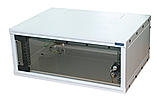
The LINDY flat-pack wall-mounted cabinets are provided disassembled but can be almost fully assembled within minutes tool-free thanks to their unique design. All that is needed is a standard Phillips screwdriver for attaching the 19" rails in the enclosure. The walls, floor and ceiling are made of 1 mm sheet steel and are joined to each other with hard plastic linch pins to form a solid housing unit. The lockable full-glass door can be mounted with a hinge on the left or right using two bolt hinges. The complete housing can reach you or your customer via the regular LINDY delivery channel.
The LINDY flat-pack wall-mounted cabinets are provided disassembled but can be almost fully assembled within minutes tool-free thanks to their unique design. All that is needed is a standard Phillips screwdriver for attaching the 19" rails in the enclosure. The walls, floor and ceiling are made of 1 mm sheet steel and are joined to each other with hard plastic linch pins to form a solid housing unit. The lockable full-glass door can be mounted with a hinge on the left or right using two bolt hinges. The complete housing can reach you or your customer via the regular LINDY delivery channel.
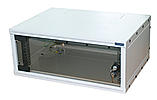
The LINDY flat-pack wall-mounted cabinets are provided disassembled but can be almost fully assembled within minutes tool-free thanks to their unique design. All that is needed is a standard Phillips screwdriver for attaching the 19" rails in the enclosure. The walls, floor and ceiling are made of 1 mm sheet steel and are joined to each other with hard plastic linch pins to form a solid housing unit. The lockable full-glass door can be mounted with a hinge on the left or right using two bolt hinges. The complete housing can reach you or your customer via the regular LINDY delivery channel.
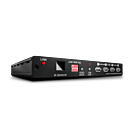
The HDMI over Gigabit Ethernet Extender System is capable of broadcasting 1080p Full HD over a standard gigabit network. It can operate as a standard extender in a single transmitter to single receiver configuration or can be used as a distribution system with a single transmitter to multiple receivers. In addition to extending Full HD 1080p HDMI signals the extender system can also be used to extend USB*, RS232 and IR remote control signals, meaning it can even be used as a KVM extender for remote control of a computer.
This Transmitter must be used with a HDMI over Gigabit Ethernet Receiver, just choose the number of receivers you need for your installation.
*Please Note: Only asynchronous USB devices such as keyboard and mouse are supported, mass storage, pendrives, printers and webcams cannot be supported
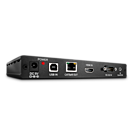
The HDMI over Gigabit Ethernet Extender System is capable of broadcasting 1080p Full HD over a standard gigabit network. It can operate as a standard extender in a single transmitter to single receiver configuration or can be used as a distribution system with a single transmitter to multiple receivers. In addition to extending Full HD 1080p HDMI signals the extender system can also be used to extend USB*, RS232 and IR remote control signals, meaning it can even be used as a KVM extender for remote control of a computer.
This Transmitter must be used with a HDMI over Gigabit Ethernet Receiver, just choose the number of receivers you need for your installation.
*Please Note: Only asynchronous USB devices such as keyboard and mouse are supported, mass storage, pendrives, printers and webcams cannot be supported
 |
 |