


We use third party services that help us to improve and optimize our online experience. For the use of certain services we need your prior consent which can be revoked at any time. You can find further information on data protection in our privacy policy
Details
In order to optimise our website, we use services that collect and aggregate data and make it available to us as a statistical overview.
You are here: » Homepage
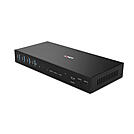
This KVM Switch can share 2 displays and USB devices between 2 computers in different modes: Single PC mode with both video showing the dual head input from one source; Dual PC mode with the first display fixed on the first PC1 input and the second display fixed on the first PC2 input.
Switching methods are:
- Front panel buttons
- Hotkeys (with on/off button)
- IR remote control
- RS-232 commands
Support for resolutions up to 4K Ultra HD 60Hz ensures the highest image quality, perfect for demanding graphical content in gaming setups, video editing or dual system control workstations. The additional support for (HDR) High-Dynamic Range ensures video content can be seen with enhanced brightness, greater contrasts and a much wider colour gamut. The audio output port also allow users to connect headphones or speakers to add immersive 2CH audio.
USB ports allow the connection of mouse, keyboard and additional USB 3.2 Gen 1 devices such as web cam, flash drive, printer, etc. Auto-switch function enables automatic switching between connected PCs and DDM function ensures that all connected USB devices retain their settings and functionality when switching between PCs ensuring the maximum compatibility.
With advanced features and different switching methods, this switch is the perfect solution for professional KVM installations, plug and play presentations and home offices.
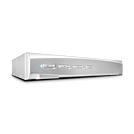
A KVM switch allows an operator to conveniently control and manage multiple devices, such as PCs and servers, from a single keyboard, mouse and display console.
The Lindy 4 Port DVI-I Single Link, USB 2.0 & Audio KVM Switch is a compact solution for providing access and control over four DVI equipped PCs from a single keyboard, mouse and monitor.
Supports single link resolutions up to 1920x1200, it can also be used with analogue VGA PCs using adapter cables with support for analogue resolutions up to 2048x1536. The audio output ports on the main unit also allow users to connect headphones or speaker to add immersive 2CH audio and a microphone, while additional USB peripherals can be integrated with the 2 ports USB 2.0 hub. Both audio and USB hubs can be switched independently of the computers allowing you to print from one PC whilst working on another for example.
It supports True Transparent USB switching, an advanced USB emulation technology that allows the KVM to recognise specific keyboard & mouse models and emulate any of their associated special key and function information. This also provides enhanced support for combined use with KVM extenders.
The KVM switch features multiple switching options including push buttons on the unit and configurable hotkeys that provide simple, reliable control for the user, great for both professional and first time users.
Please Note: connection cables are not included.
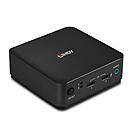
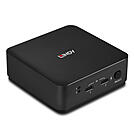
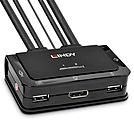
The Lindy 2 Port DisplayPort 1.2, USB 2.0 & Audio KVM Switch is a compact solution for providing access and control over two DP equipped PCs from a single keyboard, mouse and monitor. With integrated cables, this switch can be easily connected directly to the system, with no need for purchasing additional cables and saving time on the installation.
Support for resolutions up to 4K Ultra HD 60Hz ensures the optimum image quality, perfect for high graphical content in gaming setups, video editing or dual system control workstations. The audio output port on the main unit also allow users to connect headphones or speaker to add immersive 2CH audio and a microphone, while additional USB peripherals can be integrated with a USB hub.
The KVM switch features multiple switching options including a push button control (with 1.5m cable), hotkey and software switching to provide simple, reliable control for the user, great for both professional and first time users.
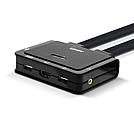
A KVM switch allows an operator to conveniently control and manage multiple devices, such as PCs and servers, from a single keyboard, mouse and display console.
The Lindy 2 Port HDMI® 18G, USB 2.0 & Audio KVM Switch is a compact solution for providing access and control over two HDMI equipped PCs from a single keyboard, mouse and monitor set. With integrated cables, this switch can be easily connected directly to the system, with no need to purchase additional cables, saving time and money on installation.
Support for resolutions up to 4096x2160@60Hz 4:4:4 8bit ensures the optimum image quality, perfect for high graphical content in gaming setups, video editing or dual system control workstations. The audio output port also allow users to connect headphones or speaker to add immersive 2CH audio and a microphone, while additional USB peripherals can be integrated with a USB hub.
The KVM switch features multiple switching options including push buttons on the unit alongside hotkey and software switching to provide simple, reliable control for the user, great for both professional and first time users.
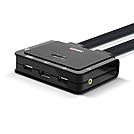
The Lindy 2 Port DisplayPort 1.2, USB Type C, USB 2.0 & Audio KVM Switch is a compact solution for providing access and control over a DP equipped PC and Type C laptop or Desktop OS tablets from a single keyboard, mouse and monitor. With integrated cables, this switch can be easily connected directly to the system, with no need to purchase additional cables and saving time during installation.
Support for resolutions up to 3840x2160@60Hz ensures the optimum image quality, perfect for demanding graphical content in gaming setups, video editing or dual system control workstations. The integrated USB Type C cable allows for control of a variety of laptops and tablets alongside a PC, great for maximising workspaces in universities or residential offices. The audio output port on the main unit also allows users to connect headphones or speakers to add immersive 2-channel audio and a microphone, while additional USB peripherals can be integrated with a USB hub.
The KVM switch features multiple switching options including a push button control (with 1.5m cable), hotkey and software switching to provide simple, reliable control for the user, great for both professional and first-time users.
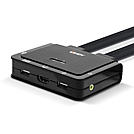
The Lindy 2 Port HDMI® 18G, USB Type C, USB 2.0 & Audio KVM Switch is a compact solution for providing access and control over a HDMI® equipped PC and Type C laptop or Desktop OS tablets from a single keyboard, mouse and monitor. With integrated cables, this switch can be easily connected directly to the system, with no need to purchase additional cables and to save time during installation.
Support for resolutions up to 3840x2160@60Hz ensures high image quality, perfect for demanding graphical content in gaming setups, video editing or dual system control workstations. The integrated USB Type C cable allows for control of a variety of laptops and tablets alongside a PC, great for maximising workspaces in universities or residential offices. The audio output port on the main unit also allows users to connect headphones or speakers to add immersive 2-channel audio and a microphone, while additional USB peripherals can be integrated with a USB hub.
The KVM switch features multiple switching options including a push button control (with 1.5m cable), hotkey and software switching to provide simple, reliable control for the user, great for both professional and first-time users.
 |
A desktop KVM switch lets you control two or more computers with just one keyboard, one mouse and one monitor. KVM stands for Keyboard, Video, Mouse – and these compact devices are the most efficient solution for anyone running several PCs at one workstation: from the home office with a laptop and desktop to the IT department or the broadcast control room.
Benefits at a glance: less cable clutter, faster switching at the push of a button or via hotkey, cost savings through shared peripherals and a tidy desk.
Connect 2–4 PCs to one display – ideal for offices, home offices and IT helpdesks. Typical resolutions: up to 4K@60Hz via HDMI 2.0 or DisplayPort.
Switch two displays simultaneously – essential for video editing, CAD or financial trading. EDID emulation prevents annoying window rearrangement when switching.
Use DisplayPort Alt Mode for a single-cable solution: video, data and power delivery over one USB-C cable – perfect for modern ultrabooks and MacBooks.
Four points are decisive:
Desktop KVMs offer 2–4 ports for the desk; rackmount KVMs manage 8–16+ servers in the data centre.
Yes – if the entire signal chain is right. 4K@60Hz requires HDMI 2.0 or DP 1.2; 4K@144Hz or ultrawide (21:9) requires DP 1.4.
A USB switch only switches peripherals, not video. A docking station expands the ports of a single host. Only a KVM switch combines video and USB switching for multiple computers at once.
