
We use third party services that help us to improve and optimize our online experience. For the use of certain services we need your prior consent which can be revoked at any time. You can find further information on data protection in our privacy policy
Details
In order to optimise our website, we use services that collect and aggregate data and make it available to us as a statistical overview.
You are here: » Homepage
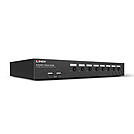
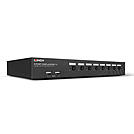
A KVM switch allows an operator to conveniently control and manage multiple devices, such as PCs and servers, from a single keyboard, mouse and display console.
This advanced KVM Switch has been designed for use with PCs and Macs. It features DisplayPort video ports and a two port USB 2.0 hub for connecting and sharing peripherals. With audio support, you can also connect speakers or headsets.
The switch occupies only a single 1U space in a 19_ rack and supports screen resolutions of up to 4K Ultra HD 60Hz, great for graphical content in gaming setups, video editing or controlling multiple workstations. It provides 2 simple switching modes, via keyboard hotkeys and front panel buttons.
A local console can be connected to the 2 USB and DP ports on the rear panel while the built-in 2 port USB 2.0 hub saves money on requiring additional devices by sharing peripherals between the connected computers. The unique switching arrangement allows the USB hub to be switched independently of the PCs for uninterrupted printing, scanning or external drive access. Options can be accessed only via keyboard hotkeys.
LED indicators show the status of the selected channel.
Please Note: connection cables are not included. DisplayPort, USB A to B, and 3.5mm audio cables are required for each connected computer. The maximum supported distance for USB, using standard cables, is 5m. For distances over 5m, use a Lindy USB Active Extension Cable. MST hubs are not supported.
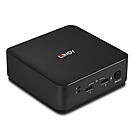
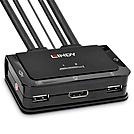
The Lindy 2 Port DisplayPort 1.2, USB 2.0 & Audio KVM Switch is a compact solution for providing access and control over two DP equipped PCs from a single keyboard, mouse and monitor. With integrated cables, this switch can be easily connected directly to the system, with no need for purchasing additional cables and saving time on the installation.
Support for resolutions up to 4K Ultra HD 60Hz ensures the optimum image quality, perfect for high graphical content in gaming setups, video editing or dual system control workstations. The audio output port on the main unit also allow users to connect headphones or speaker to add immersive 2CH audio and a microphone, while additional USB peripherals can be integrated with a USB hub.
The KVM switch features multiple switching options including a push button control (with 1.5m cable), hotkey and software switching to provide simple, reliable control for the user, great for both professional and first time users.
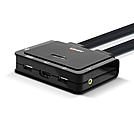
A KVM switch allows an operator to conveniently control and manage multiple devices, such as PCs and servers, from a single keyboard, mouse and display console.
The Lindy 2 Port HDMI® 18G, USB 2.0 & Audio KVM Switch is a compact solution for providing access and control over two HDMI equipped PCs from a single keyboard, mouse and monitor set. With integrated cables, this switch can be easily connected directly to the system, with no need to purchase additional cables, saving time and money on installation.
Support for resolutions up to 4096x2160@60Hz 4:4:4 8bit ensures the optimum image quality, perfect for high graphical content in gaming setups, video editing or dual system control workstations. The audio output port also allow users to connect headphones or speaker to add immersive 2CH audio and a microphone, while additional USB peripherals can be integrated with a USB hub.
The KVM switch features multiple switching options including push buttons on the unit alongside hotkey and software switching to provide simple, reliable control for the user, great for both professional and first time users.
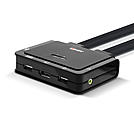
The Lindy 2 Port DisplayPort 1.2, USB Type C, USB 2.0 & Audio KVM Switch is a compact solution for providing access and control over a DP equipped PC and Type C laptop or Desktop OS tablets from a single keyboard, mouse and monitor. With integrated cables, this switch can be easily connected directly to the system, with no need to purchase additional cables and saving time during installation.
Support for resolutions up to 3840x2160@60Hz ensures the optimum image quality, perfect for demanding graphical content in gaming setups, video editing or dual system control workstations. The integrated USB Type C cable allows for control of a variety of laptops and tablets alongside a PC, great for maximising workspaces in universities or residential offices. The audio output port on the main unit also allows users to connect headphones or speakers to add immersive 2-channel audio and a microphone, while additional USB peripherals can be integrated with a USB hub.
The KVM switch features multiple switching options including a push button control (with 1.5m cable), hotkey and software switching to provide simple, reliable control for the user, great for both professional and first-time users.
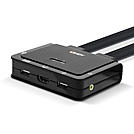
The Lindy 2 Port HDMI® 18G, USB Type C, USB 2.0 & Audio KVM Switch is a compact solution for providing access and control over a HDMI® equipped PC and Type C laptop or Desktop OS tablets from a single keyboard, mouse and monitor. With integrated cables, this switch can be easily connected directly to the system, with no need to purchase additional cables and to save time during installation.
Support for resolutions up to 3840x2160@60Hz ensures high image quality, perfect for demanding graphical content in gaming setups, video editing or dual system control workstations. The integrated USB Type C cable allows for control of a variety of laptops and tablets alongside a PC, great for maximising workspaces in universities or residential offices. The audio output port on the main unit also allows users to connect headphones or speakers to add immersive 2-channel audio and a microphone, while additional USB peripherals can be integrated with a USB hub.
The KVM switch features multiple switching options including a push button control (with 1.5m cable), hotkey and software switching to provide simple, reliable control for the user, great for both professional and first-time users.
 |
KVM stands for keyboard, video, mouse. A KVM switch routes the signals from keyboard, monitor and mouse to the active computer, switching at the push of a button or via a hotkey combination. This lets you operate several computers with different operating systems using the same input devices, saves desk space and reduces cable clutter as well as the standby consumption of additional devices.
KVM extenders extend the connection between computer and workstation via network cable, fibre optic cable or IP. KVM over IP gives IT administrators remote access to PCs and servers as if they were on site.
Desktop KVM switches switch between 2 to 4 PCs at the workstation, including with multiple monitors. USB 2.0 or USB 3.0 ports and an integrated USB hub connect peripherals such as printers or scanners. High-quality models emulate keyboard and mouse so that there is no delay when switching.
Rackmount KVM switches manage 8, 16 or more servers in a 19" rack via a central console.
Matrix KVM switches give several users simultaneous access to different systems.
The key factors are the number of computers, the location of the users and the video interface, such as HDMI, DisplayPort or VGA.
More efficient workflows, fewer peripherals and fast switching between systems, for example between a work computer and a test system.
A docking station extends the ports of a laptop, while a KVM switch switches one console between several computers. The two can be combined.
KVM solutions from Lindy: Lindy offers desktop KVM switches, rackmount KVM switches, extenders and matching cables from a single source. System integrators and IT departments can get advice on projects and volume pricing from our technical sales team. Go directly to the product ranges here:
Desktop KVM switches Rackmount KVM switches KVM extendersDocking stations HDMI extenders