


We use third party services that help us to improve and optimize our online experience. For the use of certain services we need your prior consent which can be revoked at any time. You can find further information on data protection in our privacy policy
Details
In order to optimise our website, we use services that collect and aggregate data and make it available to us as a statistical overview.
You are here: » Homepage
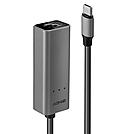
Type C to Ethernet Converters allow users to connect USB Type C equipped devices to a Gigabit Ethernet network.
The Lindy USB 3.2 Type C to 2.5G Ethernet Converter is perfect for users looking to connect a computer, notebook or tablet to a 2.5 Gigabit Ethernet network via a Type C USB port. It supports extremely high data rates up to 2.5Gbps* on existing Cat.5e/6 cabling infrastructure.
This Converter is ideal for thin and light laptops or tablets which do not feature wired network connectivity. With its small size and lightweight design this USB 3.2 to 2.5G Ethernet Converter is easy and convenient to carry, and because it is powered by the USB Bus no power adapter is required. It is compatible with Thunderbolt Type C ports to cover a wide range of devices.
* please make sure that the connected switch supports 2.5GBASE-T (IEEE 802.3bz)
Information about USB 3.0, 3.1 & 3.2
USB 3.0, USB 3.1 and USB 3.2 PCs, cables and devices are all compatible with each other, when using either a USB Type A or USB Type C host interface.
USB 3.0, USB 3.1 Gen 1 and USB 3.2 Gen 1 all support data transfer rates up to 5 Gbps.
USB 3.1 Gen 2 and USB 3.2 Gen 2 both support data transfer rates up to 10 Gbps.
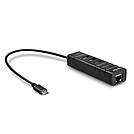
The Lindy USB 3.2 Hub & Gigabit Ethernet Converter allows users to conveniently connect a ultrabook, netbook or tablet to a Gigabit Ethernet network via a Type C USB port and also provides three additional USB 3.2 / 3.1 Gen 1 / 3.0 Type A ports.
This converter is ideal for ultrabooks or tablets which do not feature wired network connectivity and may only offer a limited number of USB ports.
With its small size and lightweight design this USB 3.2 Hub & Gigabit Ethernet Converter is easy and convenient to carry, and because it is powered by the USB Bus no power adapter is required. It is backwards compatible with Thunderbolt Type C ports to cover a wide range of devices including MacBooks.
Information about USB 3.0, 3.1 & 3.2
USB 3.0, USB 3.1 and USB 3.2 PCs, cables and devices are all compatible with each other, when using either a USB Type A or USB Type C host interface.
USB 3.0, USB 3.1 Gen 1 and USB 3.2 Gen 1 all support data transfer rates up to 5 Gbps.
USB 3.1 Gen 2 and USB 3.2 Gen 2 both support data transfer rates up to 10 Gbps.
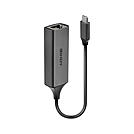
The Lindy USB 3.2 Type C Gigabit Ethernet Converter allows users to conveniently connect a notebook or ultrabook to a Gigabit Ethernet network via a Type C USB port.
This converter is ideal for ultrabooks or notebooks which do not feature wired network connectivity and for locations which lack wireless connectivity or where it is unreliable or slow.
With its small size and lightweight design this USB 3.2 Gigabit Ethernet Converter is easy and convenient to carry, and because it is powered by the USB Bus no power adapter is required.
Information about USB 3.0, 3.1 & 3.2
USB 3.0, USB 3.1 and USB 3.2 PCs, cables and devices are all compatible with each other, when using either a USB Type A or USB Type C host interface.
USB 3.0, USB 3.1 Gen 1 and USB 3.2 Gen 1 all support data transfer rates up to 5 Gbps.
USB 3.1 Gen 2 and USB 3.2 Gen 2 both support data transfer rates up to 10 Gbps.
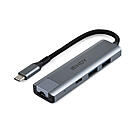
The Lindy USB 3.2 Gen 2 Hub & Gigabit Ethernet Converter allows users to conveniently connect a laptop, ultrabook or tablet to a Gigabit Ethernet network via a Type C USB port and also provides two additional USB Type A and one USB Type C device ports. As part of the USB 3.2 Gen 2 specification, 10Gbps bandwidth provides lightning fast data transfers between host and mass storage devices. This hub is also backwards compatible with USB 3.2 / 3.1 Gen 1 / USB 3.0 and USB 2.0.
This converter is ideal for ultrabooks or tablets which do not feature wired network connectivity and may only offer a limited number of USB ports. It features USB Type A and Type C interfaces for connecting a wide range of devices.
With its small size and lightweight design this USB 3.2 Hub & Gigabit Ethernet Converter is easy and convenient to carry, and because it is powered by the USB Bus no power adapter is required.
Information about USB 3.0, 3.1 & 3.2
USB 3.0, USB 3.1 and USB 3.2 PCs, cables and devices are all compatible with each other, when using either a USB Type A or USB Type C host interface.
USB 3.0, USB 3.1 Gen 1 and USB 3.2 Gen 1 all support data transfer rates up to 5 Gbps.
USB 3.1 Gen 2 and USB 3.2 Gen 2 both support data transfer rates up to 10 Gbps.
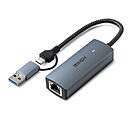
The Lindy USB 3.2 to 5G Ethernet Converter is perfect for users looking to connect a computer, laptop or tablet to a 5 Gigabit Ethernet network via a Type C or Type A USB port. It supports extremely high data rates up to 5Gbps* on existing Cat.6 (or higher) cabling infrastructure.
This Converter is ideal for thin and light laptops or tablets which do not feature wired network connectivity. With its small size and lightweight design this USB 3.2 to 5G Ethernet Converter is easy and convenient to carry, and because it is powered by the USB Bus no power adapter is required. It is compatible with Thunderbolt Type C ports and also Macbooks to cover a wide range of devices.
* please make sure that the connected switch supports 5GBASE-T (IEEE 802.3bz)
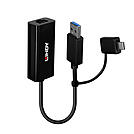
The Lindy USB 3.2 Gen 1 Gigabit Ethernet Converter allows users to conveniently connect a notebook or ultrabook to a Gigabit Ethernet network via a Type A USB or a USB Type C port.
This converter is ideal for ultrabooks or notebooks which do not feature wired network connectivity and for locations which lack wireless connectivity or where it is unreliable or slow. It features a USB Type A as well as a USB Type C plug for connection to the host computer to cover a wide range of devices.
With its small size and lightweight design this USB 3.2 Gigabit Ethernet Converter is easy and convenient to carry, and because it is powered by the USB Bus no power adapter is required.
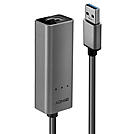
Information about USB 3.0, 3.1 & 3.2
USB 3.0, USB 3.1 and USB 3.2 PCs, cables and devices are all compatible with each other, when using either a USB Type A or USB Type C host interface.
USB 3.0, USB 3.1 Gen 1 and USB 3.2 Gen 1 all support data transfer rates up to 5 Gbps.
USB 3.1 Gen 2 and USB 3.2 Gen 2 both support data transfer rates up to 10 Gbps.
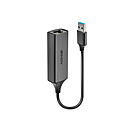
The Lindy USB 3.0 Gigabit Ethernet Converter allows users to conveniently connect a notebook or ultrabook to a Gigabit Ethernet network via a Type A USB port.
This converter is ideal for ultrabooks or notebooks which do not feature wired network connectivity and for locations which lack wireless connectivity or where it is unreliable or slow.
With its small size and lightweight design this USB 3.0 Gigabit Ethernet Converter is easy and convenient to carry, and because it is powered by the USB Bus no power adapter is required.
Information about USB 3.0, 3.1 & 3.2
USB 3.0, USB 3.1 and USB 3.2 PCs, cables and devices are all compatible with each other, when using either a USB Type A or USB Type C host interface.
USB 3.0, USB 3.1 Gen 1 and USB 3.2 Gen 1 all support data transfer rates up to 5 Gbps.
USB 3.1 Gen 2 and USB 3.2 Gen 2 both support data transfer rates up to 10 Gbps.
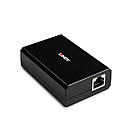
This converter provides up to 45W power and gigabit Ethernet data from a PoE signal.
The input signal is split into Type-C and RJ45 outputs, allowing connection to non-PoE devices such as access points, routers, cameras, laptops, tablets, and more.
It can convert PoE, PoE+ High Power, and Ultra PoE++ connections, ensuring compatibility with a wide range of Power over Ethernet switches and devices.
The USB-C output voltage is automatically adjusted and supports 5V/3.4A, 9V/3A, 12V/3A, 15V/3A, and 20V/2.25A.
This compact and high efficiency power converter provides also over voltage, over current and short circuit protection with over temperature cut off while the installation is plug and play without any external power supply; the converter is self-powered from the PoE input. A status LED indicates when input power is detected.
A USB Ethernet adapter, also known as a LAN adapter or USB network adapter, adds an RJ45 port to notebooks, laptops and tablets without a built-in network connection. Modern business notebooks and Apple MacBooks often no longer have a LAN port. With the adapter, they connect via network cable to a switch, router or docking station. A faulty internal Ethernet port can also be replaced this way.
Benefits at a glance: A wired connection is more stable and less prone to interference than Wi-Fi, ensures low latency in video conferences and connects devices securely to the corporate network. Power is supplied via USB, so no power adapter is needed. Many adapters work plug & play under Windows, macOS and Linux, often without additional driver installation.
USB-A Ethernet adapters with USB 3.0 are suitable for desktop PCs and notebooks with a classic USB-A port. USB 3.0 transfers up to 5 Gbit/s, which is enough for Gigabit Ethernet and 2.5G. Older adapters with USB 2.0 significantly limit network speed: USB 2.0 is limited to 480 Mbit/s, and many of these adapters only support Fast Ethernet at 100 Mbit/s.
USB-C network adapters suit ultrabooks, MacBooks and tablets and also work on Thunderbolt ports. In warehouses or field service, they connect tablets and smartphones to the network when commissioning equipment.
Gigabit Ethernet adapters with 1 Gbit/s are the standard for office workstations.
2.5G Ethernet adapters transfer up to 2.5 Gbit/s over existing Cat5e or Cat6 cabling. This requires a switch with 2.5GBASE-T according to IEEE 802.3bz. It pays off for large files, NAS access or backups.
Yes, the adapter provides a fully-fledged network port on the USB port.
Up to 2.5 times faster data transfer than Gigabit, provided the switch, server or NAS also supports 2.5G or more.
Common causes are a missing driver, a faulty network cable or an active power-saving function on the USB port.
USB Ethernet adapters from Lindy: Lindy offers USB-A and USB-C network adapters with Gigabit Ethernet and 2.5G for professional use. System integrators and IT departments can get advice on projects and volume pricing from our technical sales team. You will find suitable docking stations for hot desking and network cables for the connection here:
