
You are here: » Homepage
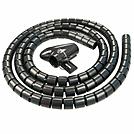
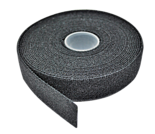
The 5m Hook and Loop Cable Tie is a versatile and reusable cable management solution designed to keep wiring systems organised, secure, and easily adjustable. Manufactured from durable hook-and-loop fastening material, this cable tie roll allows users to cut to the exact length required, making it ideal for a wide range of applications across professional AV installations, IT infrastructure, office environments, and home setups. Its flexible yet strong construction ensures reliable bundling without damaging delicate cables, offering a clean and efficient alternative to traditional single-use ties.
Engineered for convenience and long-term use, the 5m length provides ample material for multiple applications, reducing waste and improving cost efficiency. The soft fabric design prevents over-tightening, protecting cable integrity while maintaining a firm hold. Suitable for managing power cables, data lines, fibre optics, and audio-visual wiring, this solution supports both temporary and permanent installations where adaptability is essential.
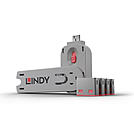
USB Port Blockers are useful little devices that system administrators can use to physically prevent access to USB ports. USB Port Blockers allow locks to be inserted and removed from USB ports to stop unauthorised users from inserting pen drives, USB mass storage and mobile devices into shared workstations or devices with USB ports in public spaces.
To use, simply attach a lock to the key and insert it into the USB port. Release the sliding mechanism on the key to leave the lock in place. To remove, simply insert the key back into the lock and pull away.
Please note: this key is only compatible with the corresponding colour of port blocker.
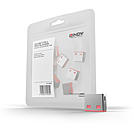
USB Port Blockers are useful little devices that system administrators can use to physically prevent access to USB ports. USB Port Blockers allow locks to be inserted and removed from USB ports to stop unauthorised users from inserting pen drives, USB mass storage and mobile devices into shared workstations or devices with USB ports in public spaces.
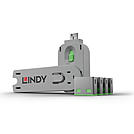
USB Port Blockers are useful little devices that system administrators can use to physically prevent access to USB ports. USB Port Blockers allow locks to be inserted and removed from USB ports to stop unauthorised users from inserting pen drives, USB mass storage and mobile devices into shared workstations or devices with USB ports in public spaces.
To use, simply attach a lock to the key and insert it into the USB port. Release the sliding mechanism on the key to leave the lock in place. To remove, simply insert the key back into the lock and pull away.
Please note: this key is only compatible with the corresponding colour of port blocker.
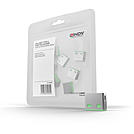
USB Port Blockers are useful little devices that system administrators can use to physically prevent access to USB ports. USB Port Blockers allow locks to be inserted and removed from USB ports to stop unauthorised users from inserting pen drives, USB mass storage and mobile devices into shared workstations or devices with USB ports in public spaces.
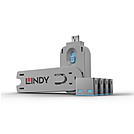
USB Port Blockers are useful little devices that system administrators can use to physically prevent access to USB ports. USB Port Blockers allow locks to be inserted and removed from USB ports to stop unauthorised users from inserting pen drives, USB mass storage and mobile devices into shared workstations or devices with USB ports in public spaces.
To use, simply attach a lock to the key and insert it into the USB port. Release the sliding mechanism on the key to leave the lock in place. To remove, simply insert the key back into the lock and pull away.
Please note: this key is only compatible with the corresponding colour of port blocker.
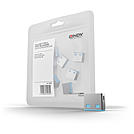
USB Port Blockers are useful little devices that system administrators can use to physically prevent access to USB ports. USB Port Blockers allow locks to be inserted and removed from USB ports to stop unauthorised users from inserting pen drives, USB mass storage and mobile devices into shared workstations or devices with USB ports in public spaces.
To use, simply attach a lock to the key and insert it into the USB port. Release the sliding mechanism on the key to leave the lock in place. To remove, simply insert the key back into the lock and pull away.
Please note: these port blockers are only compatible with the corresponding colour of port blocker key.
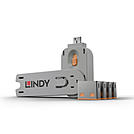
USB Port Blockers are useful little devices that system administrators can use to physically prevent access to USB ports. USB Port Blockers allow locks to be inserted and removed from USB ports to stop unauthorised users from inserting pen drives, USB mass storage and mobile devices into shared workstations or devices with USB ports in public spaces.
To use, simply attach a lock to the key and insert it into the USB port. Release the sliding mechanism on the key to leave the lock in place. To remove, simply insert the key back into the lock and pull away.
Please note: this key is only compatible with the corresponding colour of port blocker.
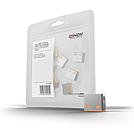
USB Port Blockers are useful little devices that system administrators can use to physically prevent access to USB ports. USB Port Blockers allow locks to be inserted and removed from USB ports to stop unauthorised users from inserting pen drives, USB mass storage and mobile devices into shared workstations or devices with USB ports in public spaces.
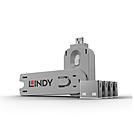
USB Port Blockers are useful little devices that system administrators can use to physically prevent access to USB ports. USB Port Blockers allow locks to be inserted and removed from USB ports to stop unauthorised users from inserting pen drives, USB mass storage and mobile devices into shared workstations or devices with USB ports in public spaces.
To use, simply attach a lock to the key and insert it into the USB port. Release the sliding mechanism on the key to leave the lock in place. To remove, simply insert the key back into the lock and pull away.
Please note: this key is only compatible with the corresponding colour of port blocker.
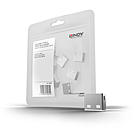
USB Port Blockers are useful little devices that system administrators can use to physically prevent access to USB ports. USB Port Blockers allow locks to be inserted and removed from USB ports to stop unauthorised users from inserting pen drives, USB mass storage and mobile devices into shared workstations or devices with USB ports in public spaces.
 |
The Lindy accessories range includes security products such as USB port locks and anti-theft cables, as well as cable management solutions. The products are used in offices, server rooms, educational and administrative institutions, and at publicly accessible workstations.
What are USB port locks used for?
USB port locks block free USB ports on computers to prevent unauthorized data transfer or the connection of unauthorized devices a standard security element in government agencies, banks, and security-critical environments.
How do anti-theft cables work?
Anti-theft cables connect laptops, monitors, or other devices to a fixed object such as a desk via a locking mechanism effective in open office environments, schools, and coworking spaces.
What does professional cable management include?
Cable management products organize and protect cabling at workstations and in racks [UNVERIFIED: specific product range cable ducts, ties, spiral wrap, etc. depends on model].