


We use third party services that help us to improve and optimize our online experience. For the use of certain services we need your prior consent which can be revoked at any time. You can find further information on data protection in our privacy policy
Details
In order to optimise our website, we use services that collect and aggregate data and make it available to us as a statistical overview.
You are here: » Homepage
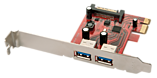
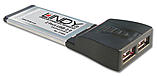
Easily upgrade or add two additional 5GBits SuperSpeed USB 3.0 ports to your computer with this Low Profile PCI Express Bus card.
Finished to a high standard, the card allows for an easy and safe installation with as few tools as possible.
Each of the cards external ports are protected against short circuiting with a silicon fuse and gold-plated finger contacts limit oxidisation inside the computer helping extend the useful life of the card.
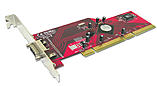
Multilane, 4 external Serial-ATA-II connections for your PC! Supports data rates of up to 3 Gbit/sec., RAID5, JBOD, Port Multiplier and NCQ.
This PCI-X (64 Bit PCI) host adapter can be used to expand a PC with four external SATA II interfaces via the Multilane connection. This card supports a 64bit, 133 MHz Interface on the host side and four autonomous SATA-II ports on the device side. The external connection is a multilane connection. The multiline connection can be used to send to up to four SATA II interfaces. Data is sent to the external connection with a multilane cable (Order No. 33225).
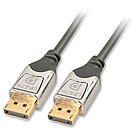
This superb DisplayPort cable benefits from advanced design and construction to provide the best possible performance and reliability. It's 24K gold plated connector pins ensure superb signal integrity and corrosion resistance whilst the shielded cable design allows consistent performance, even over longer transmission distances.
Available in lengths up to 5m, it's the perfect choice for the next generation of high definition video cards and monitors.
DisplayPort - The new standard for maximum display performance
DisplayPort is the next generation digital display interface standard designed to replace DVI and eventually VGA. DisplayPort delivers a higher performance, enables exciting new monitor designs and improves digital display connectivity.
All Digital
No compression, no conversion, pure digital direct from the source as it was meant to be seen and heard.
One Cable
All of your HD video and audio in one cable. Say goodbye to cable clutter. One DisplayPort cable has over twice the capability of one single channel DVI cable.
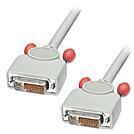
Features of the RF-BLOK shielded design:
Important!
Please note that cable lengths over 7.5m are above the recommended length laid down by the DDWG organisation who developed the specification. This factor also depends on the hardware combination of graphics card and monitor as to how far this distance can be exceeded.
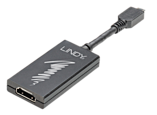
• Show content stored on your smartphone or tablet on an HDTV
• Supports resolutions up to Ultra HD 4K 3840x2160p @ 30Hz
• MHL connector: USB 2.0 Micro-B 5 Pin Male
• HDMI connector: HDMI 19 pin Type A Female
• Additional USB Micro-B female for charging and power
• MHL 3.0 Compliant
• Backwards compatible with MHL 2.0 and MHL 1.0 devices
• 2 year warranty
Please note: This adapter is not compatible with devices using an 11 pin MHL connector.
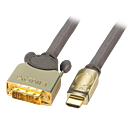
25 Year Warranty
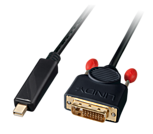
Use this adapter cable to connect a computer equipped with a Mini DisplayPort connector to display with a DVI connector.
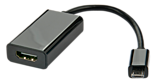
• Show content stored on your SlimPort equipped smartphone or tablet on an HDTV
• Ideal for sharing audio and video from a mobile device with a larger high definition display
• SlimPort/MyDP connector: USB 2.0 Micro B 5 Pin Male
• HDMI connector: HDMI 19 pin Type A Female
• Additional USB 2.0 Micro B female for charging
• Shielded cable
• Supports resolutions up to Full HD 1080p
• Up-scales non-1080p content
• Cable length: 0.15m
• Colour: Black
• 2 years warranty
Please note:
This adapter is compatible with the Google Nexus 7 (2nd Edition), Google Nexus 4, HP ChromeBook 11, LG Optimus G Pro, Fujitsu Stylistic QH582, Asus Padfone Infinity and all other SlimPort/MyDP enabled devices.
SlimPort/MyDP technology allows compatible mobile devices to display content on High Definition TVs and displays.
The LINDY SlimPort to HDMI Adapter allows you to show video up to 1080p from your mobile device on a HDTV.
The additional USB Micro B port also allows you to charge your device while viewing your content, playing games, streaming video or surfing the internet.
The adapter converts the SlimPort signal from your handset or tablets to a HDMI connection for easily connecting to your HDTV or home theatre display with a HDMI Cable.
 |
 |
