


We use third party services that help us to improve and optimize our online experience. For the use of certain services we need your prior consent which can be revoked at any time. You can find further information on data protection in our privacy policy
Details
In order to optimise our website, we use services that collect and aggregate data and make it available to us as a statistical overview.
You are here: » Homepage
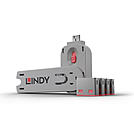
USB Port Blockers are useful little devices that system administrators can use to physically prevent access to USB ports. USB Port Blockers allow locks to be inserted and removed from USB ports to stop unauthorised users from inserting pen drives, USB mass storage and mobile devices into shared workstations or devices with USB ports in public spaces.
To use, simply attach a lock to the key and insert it into the USB port. Release the sliding mechanism on the key to leave the lock in place. To remove, simply insert the key back into the lock and pull away.
Please note: this key is only compatible with the corresponding colour of port blocker.
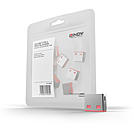
USB Port Blockers are useful little devices that system administrators can use to physically prevent access to USB ports. USB Port Blockers allow locks to be inserted and removed from USB ports to stop unauthorised users from inserting pen drives, USB mass storage and mobile devices into shared workstations or devices with USB ports in public spaces.
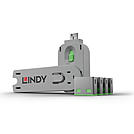
USB Port Blockers are useful little devices that system administrators can use to physically prevent access to USB ports. USB Port Blockers allow locks to be inserted and removed from USB ports to stop unauthorised users from inserting pen drives, USB mass storage and mobile devices into shared workstations or devices with USB ports in public spaces.
To use, simply attach a lock to the key and insert it into the USB port. Release the sliding mechanism on the key to leave the lock in place. To remove, simply insert the key back into the lock and pull away.
Please note: this key is only compatible with the corresponding colour of port blocker.
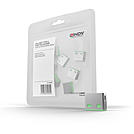
USB Port Blockers are useful little devices that system administrators can use to physically prevent access to USB ports. USB Port Blockers allow locks to be inserted and removed from USB ports to stop unauthorised users from inserting pen drives, USB mass storage and mobile devices into shared workstations or devices with USB ports in public spaces.
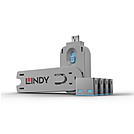
USB Port Blockers are useful little devices that system administrators can use to physically prevent access to USB ports. USB Port Blockers allow locks to be inserted and removed from USB ports to stop unauthorised users from inserting pen drives, USB mass storage and mobile devices into shared workstations or devices with USB ports in public spaces.
To use, simply attach a lock to the key and insert it into the USB port. Release the sliding mechanism on the key to leave the lock in place. To remove, simply insert the key back into the lock and pull away.
Please note: this key is only compatible with the corresponding colour of port blocker.
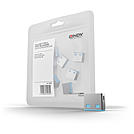
USB Port Blockers are useful little devices that system administrators can use to physically prevent access to USB ports. USB Port Blockers allow locks to be inserted and removed from USB ports to stop unauthorised users from inserting pen drives, USB mass storage and mobile devices into shared workstations or devices with USB ports in public spaces.
To use, simply attach a lock to the key and insert it into the USB port. Release the sliding mechanism on the key to leave the lock in place. To remove, simply insert the key back into the lock and pull away.
Please note: these port blockers are only compatible with the corresponding colour of port blocker key.
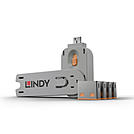
USB Port Blockers are useful little devices that system administrators can use to physically prevent access to USB ports. USB Port Blockers allow locks to be inserted and removed from USB ports to stop unauthorised users from inserting pen drives, USB mass storage and mobile devices into shared workstations or devices with USB ports in public spaces.
To use, simply attach a lock to the key and insert it into the USB port. Release the sliding mechanism on the key to leave the lock in place. To remove, simply insert the key back into the lock and pull away.
Please note: this key is only compatible with the corresponding colour of port blocker.
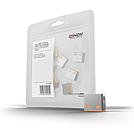
USB Port Blockers are useful little devices that system administrators can use to physically prevent access to USB ports. USB Port Blockers allow locks to be inserted and removed from USB ports to stop unauthorised users from inserting pen drives, USB mass storage and mobile devices into shared workstations or devices with USB ports in public spaces.
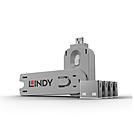
USB Port Blockers are useful little devices that system administrators can use to physically prevent access to USB ports. USB Port Blockers allow locks to be inserted and removed from USB ports to stop unauthorised users from inserting pen drives, USB mass storage and mobile devices into shared workstations or devices with USB ports in public spaces.
To use, simply attach a lock to the key and insert it into the USB port. Release the sliding mechanism on the key to leave the lock in place. To remove, simply insert the key back into the lock and pull away.
Please note: this key is only compatible with the corresponding colour of port blocker.
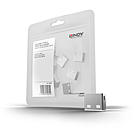
USB Port Blockers are useful little devices that system administrators can use to physically prevent access to USB ports. USB Port Blockers allow locks to be inserted and removed from USB ports to stop unauthorised users from inserting pen drives, USB mass storage and mobile devices into shared workstations or devices with USB ports in public spaces.
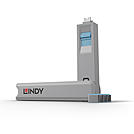
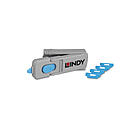
 |
Each starter set contains 4 blockers and 1 matching key. Refill sets without a key, as well as individual replacement keys, are available separately for every connector type. For types with several colour variants, the lock and key of the same colour are always keyed alike – different colours cannot be opened with the same key. This lets you, for example, colour-code different teams or departments.
| Solution | Version | Typical Use |
|---|---|---|
| USB A | 5 colours, each keyed alike | Protects PC and notebook ports from unauthorised data transfer |
| USB C | 5 colours, each keyed alike | Protects modern notebooks and docking stations |
| RJ45 | 4 colours, each keyed alike | Secures unused network sockets in offices and public areas |
| SFP | 1 colour | Secures unused fibre optic ports on switches and patch panels |
| HDMI | 1 colour | Protects display ports on conferencing equipment and digital signage |
| DisplayPort | 1 colour | Protects monitor outputs at workstations and in meeting rooms |
