Please wait, your selection is being loaded.
An error has occurred. Please try again.
The item you selected is no longer available.
We use third party services that help us to improve and optimize our online experience. For the use of certain services we need your prior consent which can be revoked at any time. You can find further information on data protection in our privacy policy
Details
In order to optimise our website, we use services that collect and aggregate data and make it available to us as a statistical overview.
You are here: » Homepage » USB » Docking Stations & Multiport Converters
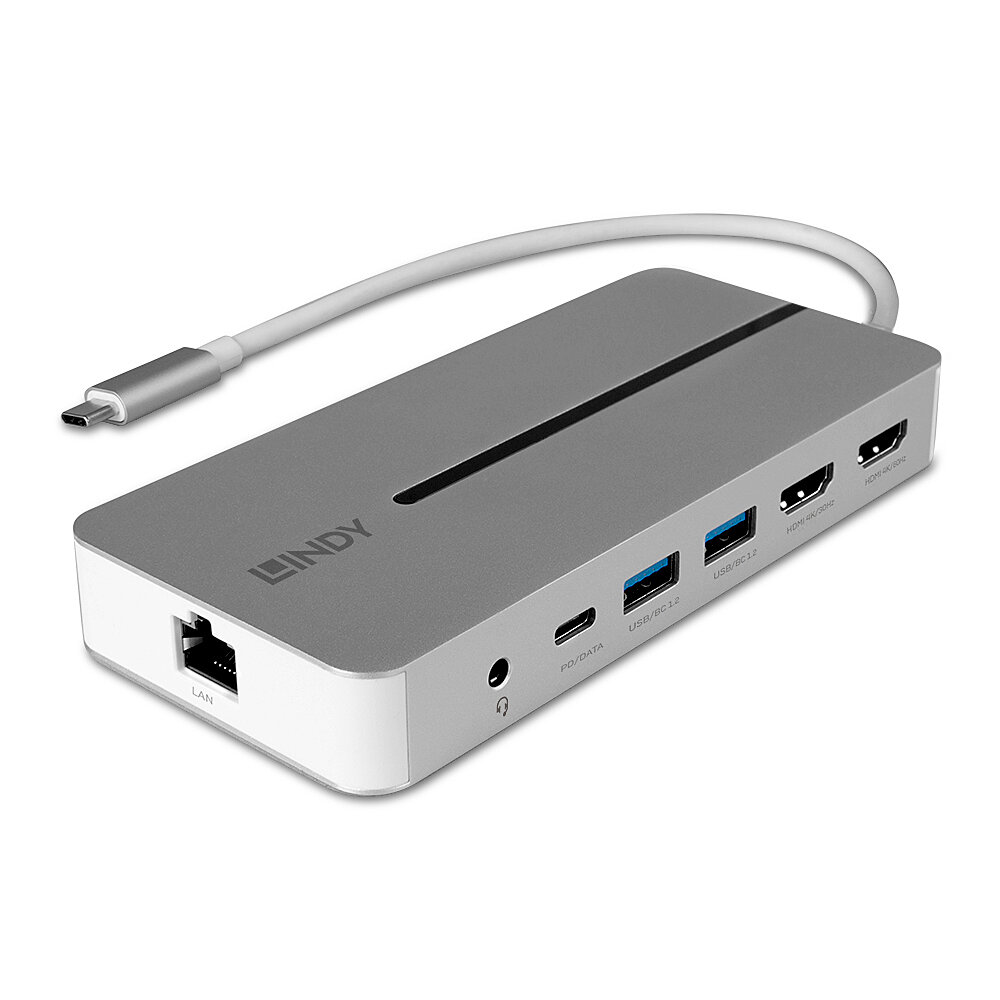
2x 4K HDMI®, PD 3.0 100W, USB 3.2 Gen 1, Gigabit Ethernet, Audio
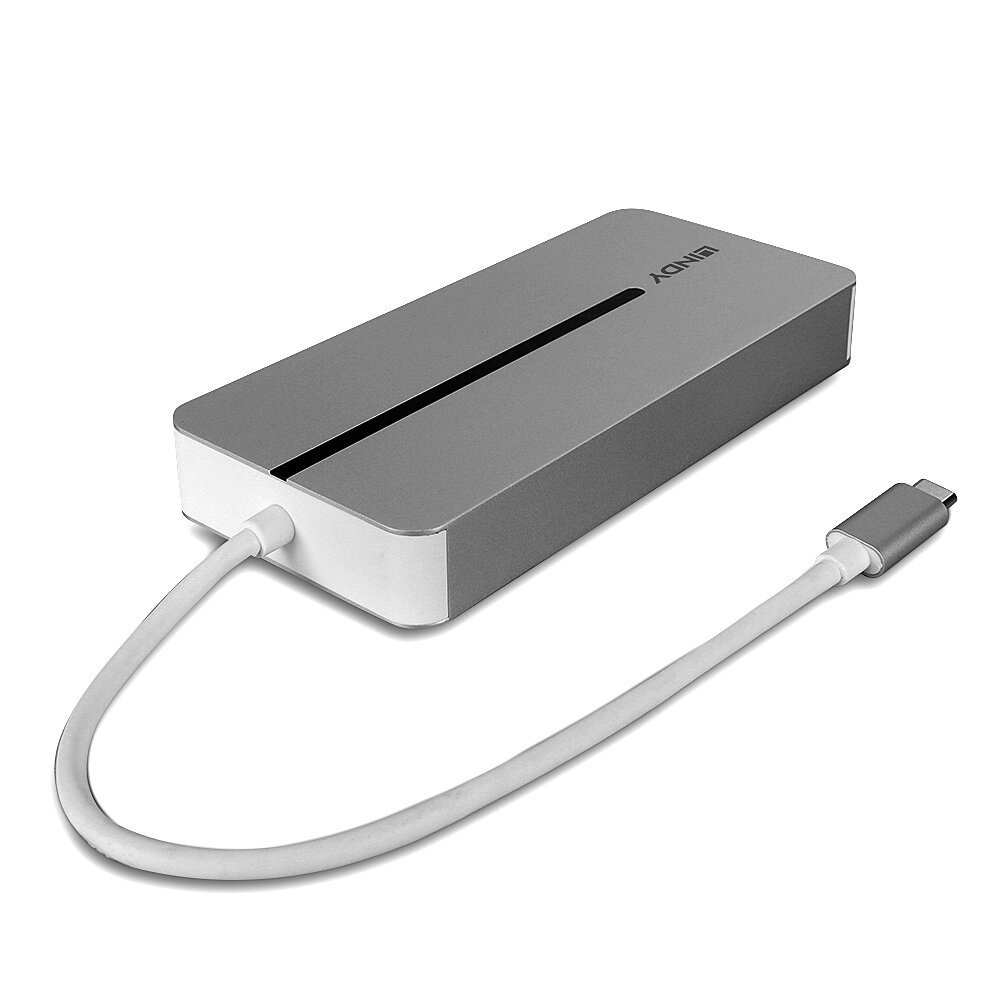
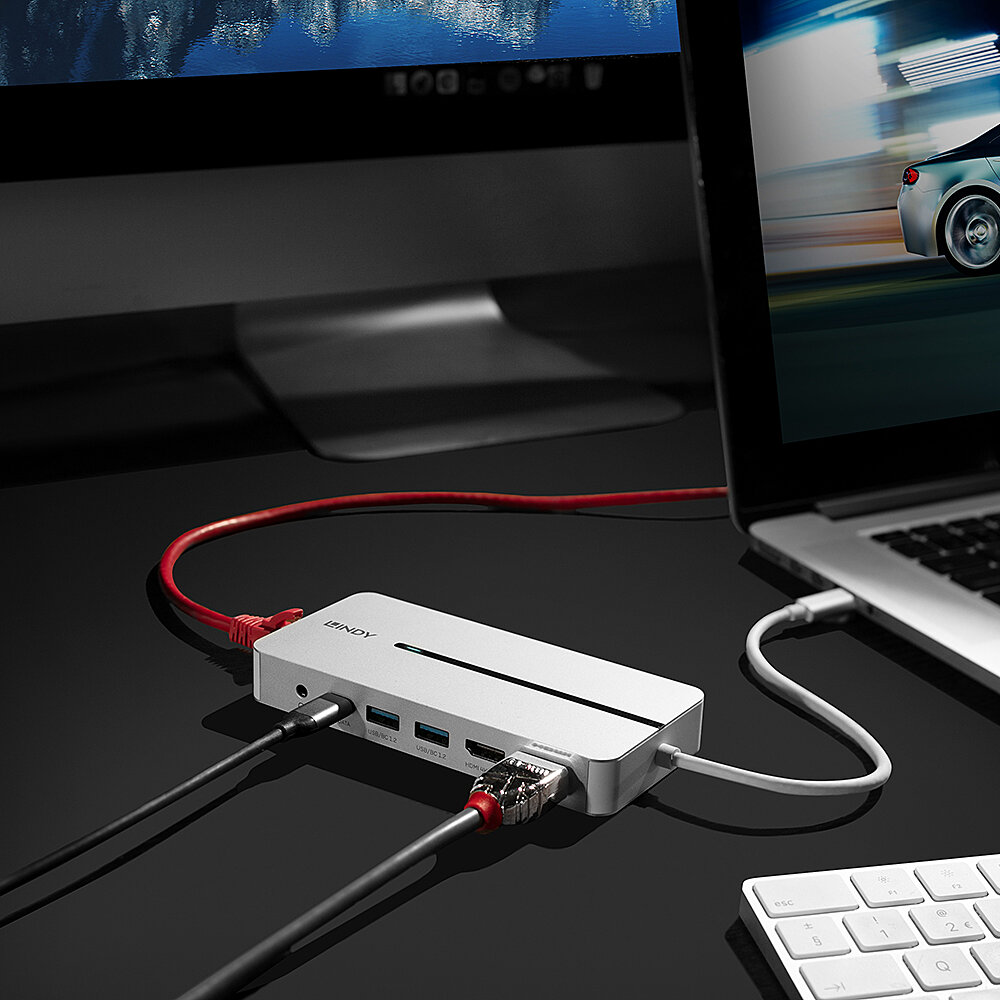
The Lindy DST- Mx Duo is a premium solution for connecting your laptop or MacBook (including Apple M series) to a range of peripherals. Part of Lindy' s expert range of Laptop Docking Stations, this product has been designed with Mac users in mind. Maximising the productivity of any creative by providing extended screen real estate with Ultra HD quality as well as SuperSpeed data transfer for all your USB peripherals. Housed in a robust aluminium body, this docking station is reliable and compact, perfect for travel.
Extended Displays
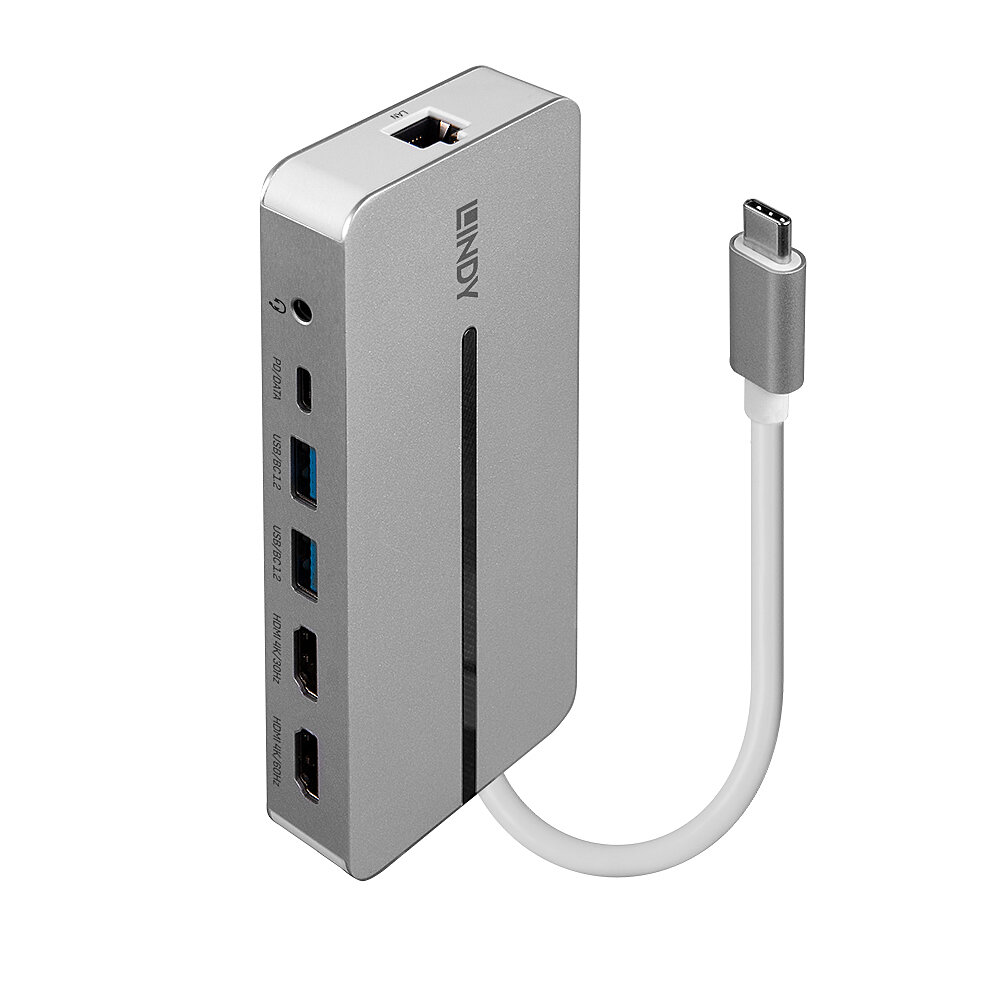
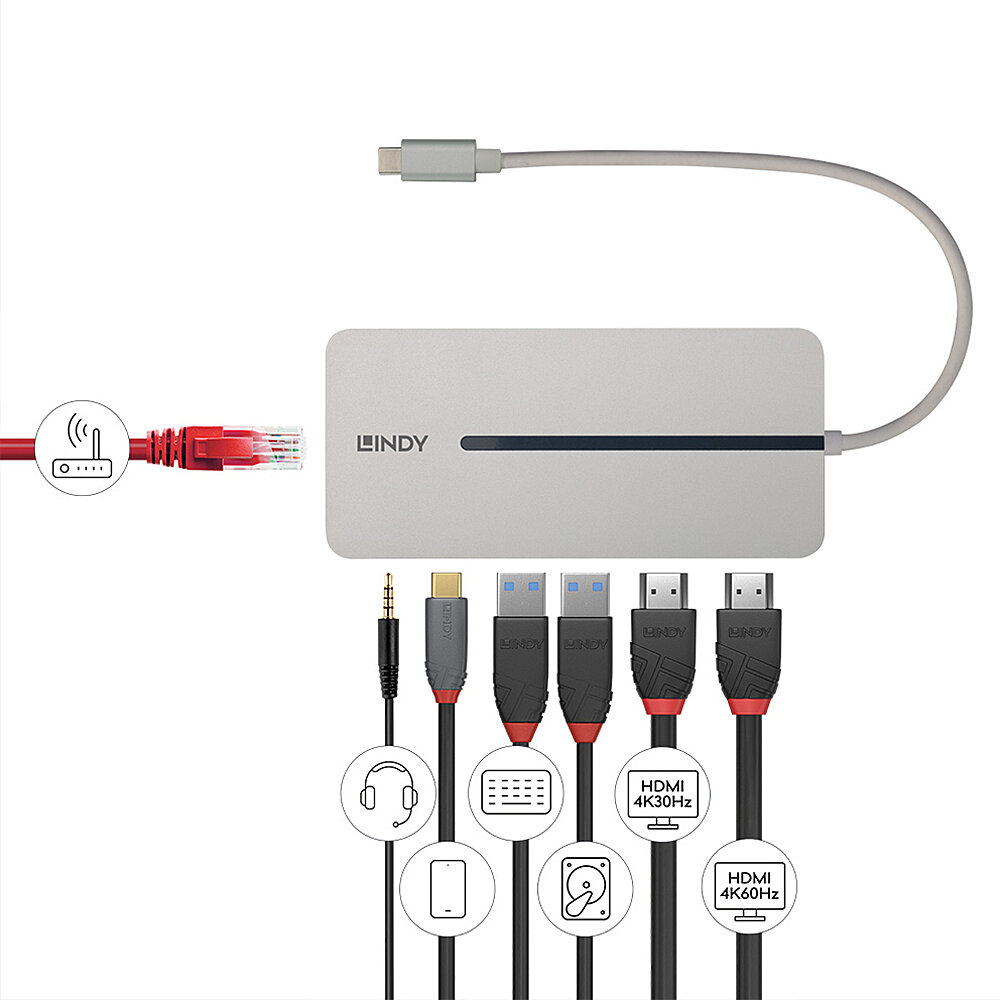
Unlike other docking stations, the DST-Mx Duo can support two external displays at 4k resolution with your MacBook. This is thanks to the docks support for MST (Multi Stream Transport) for Mac. There are two HDMI® ports, one with 60Hz capability and the other with 30Hz. Simply plug in your HDMI® displays and the docking station will provide Ultra HD resolution through a single USB-C connection.
Versatile
Providing all the ports you will need for a productive workflow; this docking station uses a single USB 3.2 Type C cable to connect up to two 4k HDMI® displays whilst providing Gigabit Ethernet connection, Superspeed 5Gbps USB Type A ports and a 3.5mm combined headphone jack.
Pass-through Charging
Thanks to the integrated PD 3.0 port, you can plug your USB-C charger into the docking station and experience up to 100W pass-through charging (depending on the charger' s capabilities). This allows you to charge your device whilst working without having to use up any more ports, meaning there is more connectivity potential for other peripherals and accessories.
Easy-to-Use
A software needs to be installed for this docking station. Download it straight from the product page, connect the docking station, to your device and you are good to go.
The terms HDMI, HDMI High-Definition Multimedia Interface, HDMI Trade dress and the HDMI Logos are trademarks or registered trademarks of HDMI Licensing Administrator, Inc.
Specifications
Connectors
Physical Properties
Miscellaneous
Package Contents
Purchasing Information

Information on product safety
Documentation
Driver
| Driver, Software & Tools: |
released: 2022-03-14 | » Download (27,32 MB) |
| Driver, Software & Tools: Operating Systems: Windows |
released: 2023-05-09 | » Download (30,62 MB) |
CE Declaration
Recommend this product
SECTION DIVIDER LINE
SECTION 1 - HERO IMAGE

SECTION 2 - HERO HEADLINE & SUBLINE
SECTION 3 - INTRO TEXT
Protect Critical SFP Ports from Tampering, Damage or Unauthorised Access
The Lindy SFP Port Blocker provides a fast, effective way to physically secure unused SFP (Small Form-factor Pluggable) network ports. These compact blockers are ideal for safeguarding fibre infrastructure in sensitive IT environments, AV-over-IP setups, and networked installations where access control is essential.
By preventing unauthorised connections, accidental cable insertions or foreign object intrusion, Lindy SFP Port Blockers reduce the risk of port damage and potential downtime. A robust insertion mechanism keeps each blocker firmly in place, with colour-coded keys ensuring only authorised removal. Additional keys and blocker packs are also available.
SECTION DIVIDER LINE
SECTION 4 - AT A GLANCE
Physical Network Access Control
Blocks unauthorised SFP port use and deters accidental cable insertion
Fibre-Ready Protection
Ideal for delicate SFP connections in enterprise and AV-over-IP systems
Quick Installation
Tool-free deployment – install or remove in seconds
Visual Cue
Indicates unused ports or identifies disconnected endpoints
Low Cost, High Scalability
Ideal for large rollouts with minimal overhead
Latching Design
Mimics the clip action of real connectors – for a secure hold
SECTION DIVIDER LINE
SECTION 5 – HOW IT WORKS

SECTION DIVIDER LINE
SECTION 8 - TYPICAL SECTORS
SECTION DIVIDER LINE
SECTION 9 - APPLICATIONS
Data Centres & Enterprise Network
Protect switchgear, routers and critical optical interfaces from disruption.
Education & Public Sector
Prevent tampering with fibre links in classrooms, libraries and shared facilities.
Retail & Hospitality AV Installations
Secure fibre-based AV equipment and signage systems in publicly accessible locations.
Facilities / Infrastructure
Visually mark inactive ports for future provisioning
Libraries / Shared Workspaces
Block unauthorised connections in public computing environments.
Healthcare & Labs
Protect equipment in clinical environments from unauthorised connections.
SECTION DIVIDER LINE
SECTION 10 - SUMMARY / CONCLUSION
Lindy SFP Port Blockers deliver precise physical control over fibre ports, helping IT and AV professionals reduce risk and maintain infrastructure integrity. Easy to deploy, visually obvious and highly scalable, they’re the smart choice for any network where protection starts at the port.
SFP Port Blocker Kit
10 x SFP Port Locks, 1x Key
SFP Port Blocker
1x Key Only
SFP Port Blocker
20x Locks Only
SECTION DIVIDER LINE
SECTION 1 - HERO IMAGE

SECTION 2 - HERO HEADLINE & SUBLINE
SECTION 3 - INTRO TEXT
Protect Critical SFP Ports from Tampering, Damage or Unauthorised Access
The Lindy SFP Port Blocker provides a fast, effective way to physically secure unused SFP (Small Form-factor Pluggable) network ports. These compact blockers are ideal for safeguarding fibre infrastructure in sensitive IT environments, AV-over-IP setups, and networked installations where access control is essential.
By preventing unauthorised connections, accidental cable insertions or foreign object intrusion, Lindy SFP Port Blockers reduce the risk of port damage and potential downtime. A robust insertion mechanism keeps each blocker firmly in place, with colour-coded keys ensuring only authorised removal. Additional keys and blocker packs are also available.
SECTION DIVIDER LINE
SECTION 4 - AT A GLANCE
Physical Network Access Control
Blocks unauthorised SFP port use and deters accidental cable insertion
Fibre-Ready Protection
Ideal for delicate SFP connections in enterprise and AV-over-IP systems
Quick Installation
Tool-free deployment – install or remove in seconds
Visual Cue
Indicates unused ports or identifies disconnected endpoints
Low Cost, High Scalability
Ideal for large rollouts with minimal overhead
Latching Design
Mimics the clip action of real connectors – for a secure hold
SECTION DIVIDER LINE
SECTION 5 – HOW IT WORKS

SECTION DIVIDER LINE
SECTION 8 - TYPICAL SECTORS
SECTION DIVIDER LINE
SECTION 9 - APPLICATIONS
Data Centres & Enterprise Network
Protect switchgear, routers and critical optical interfaces from disruption.
Education & Public Sector
Prevent tampering with fibre links in classrooms, libraries and shared facilities.
Retail & Hospitality AV Installations
Secure fibre-based AV equipment and signage systems in publicly accessible locations.
Facilities / Infrastructure
Visually mark inactive ports for future provisioning
Libraries / Shared Workspaces
Block unauthorised connections in public computing environments.
Healthcare & Labs
Protect equipment in clinical environments from unauthorised connections.
SECTION DIVIDER LINE
SECTION 10 - SUMMARY / CONCLUSION
Lindy SFP Port Blockers deliver precise physical control over fibre ports, helping IT and AV professionals reduce risk and maintain infrastructure integrity. Easy to deploy, visually obvious and highly scalable, they’re the smart choice for any network where protection starts at the port.
SFP Port Blocker Kit
10 x SFP Port Locks, 1x Key
SFP Port Blocker
1x Key Only
SFP Port Blocker
20x Locks Only
If you leave this field empty we will send to the email address you logged in with.